
Tweaks & FAQ (Feast+)
Tweaks & FAQ (Feast+)
Feast+ offers an elevated layout and styling setup, but we know you'll still want to tweak things.
We recommend making any major feature requests here.
These are some tips to making the most out of the existing Feast+ features.
Jump to:
Top aligned category links
When using the "include category h2" and "include category link" feature of the FSRI block, you can also apply the link-align-top class (under Advanced > Additional CSS Class(es)) on the FSRI block to display the category link inline with the heading:
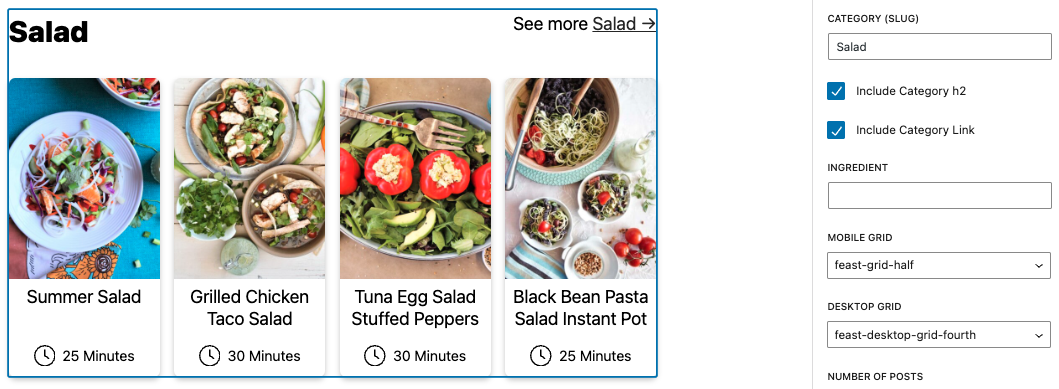
Example:

Remove gap at top of page
If you're using a Feast Full Width block at the top of the page and want to remove this white gap:
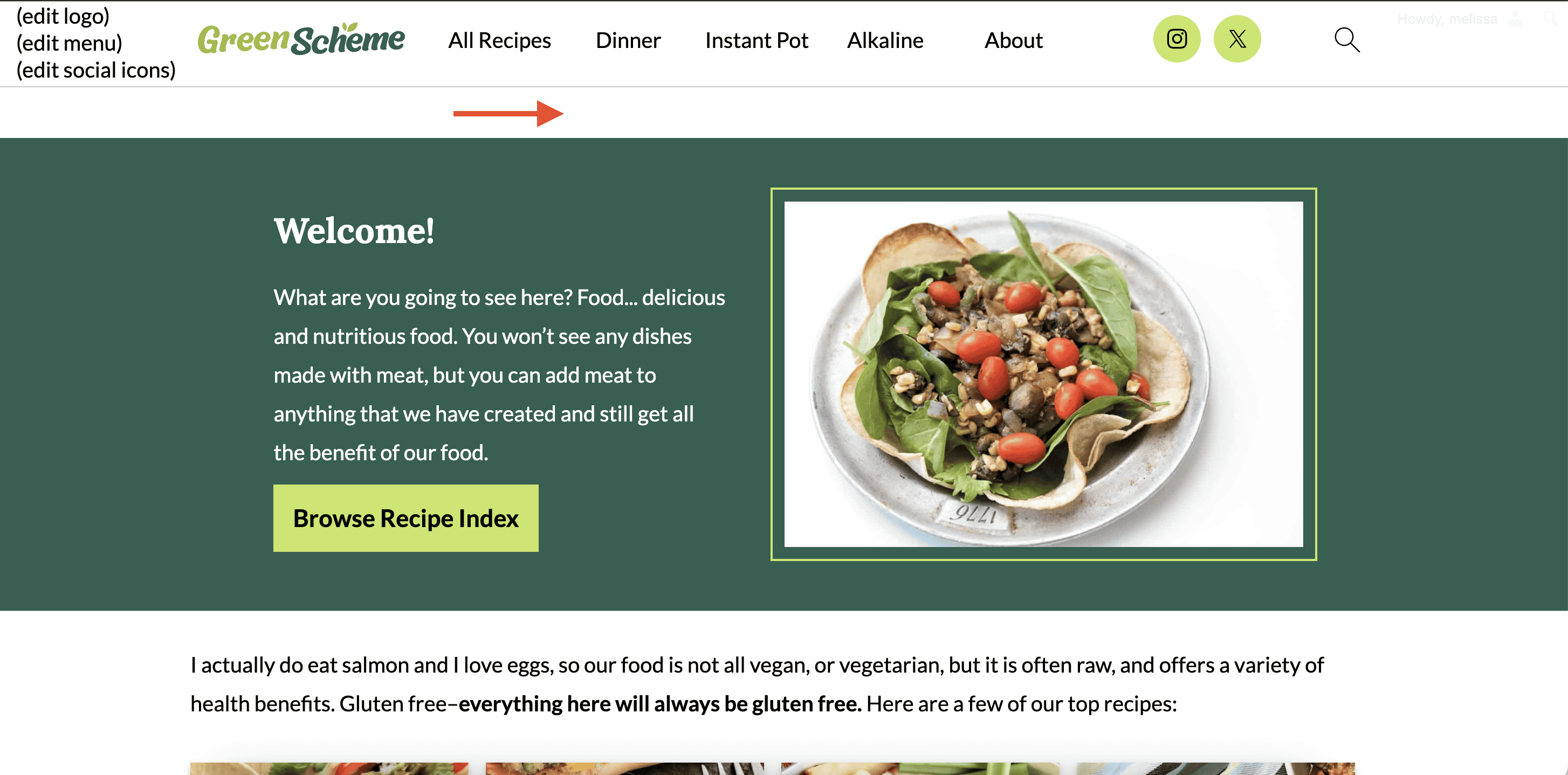
Go into the page settings of that particular page and enable "Remove gap at content top".
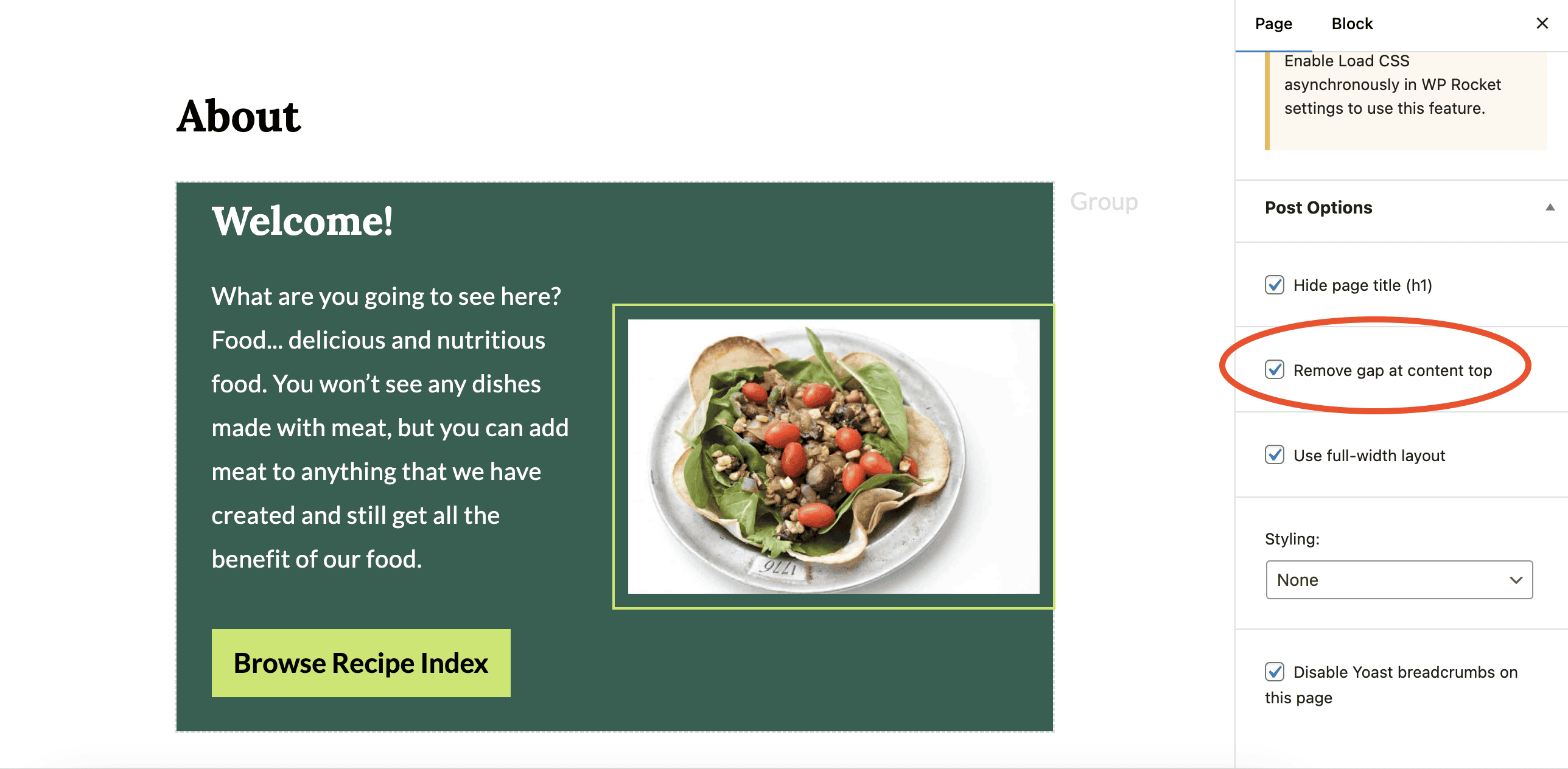
Old Theme Styling
If you're still seeing heading styling from your base Feast theme, you likely have Styling set on each page. To remove it, simply select None from the dropdown. This style feature is no longer relevant with Feast+.
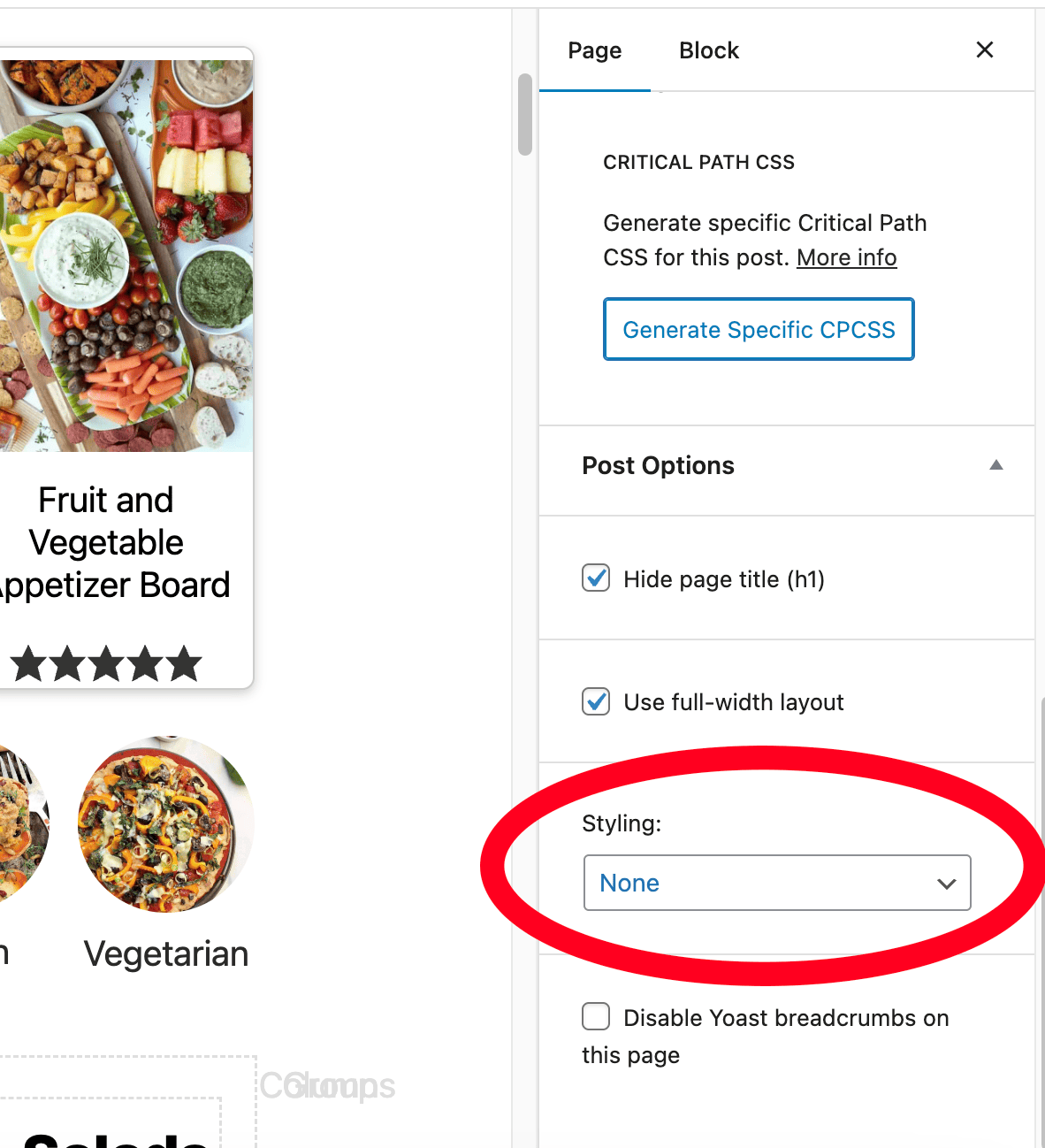
Menu social icons
Follow the Menu Social Icons in the Feast Layouts tutorial to set your social icons.
Recipe cards
Recipe cards contain their own built-in styling that is very difficult to work around. You should edit the recipe card styling directly through the recipe card plugin, using the colors and fonts you defined in the Feast+ Branding page.
We're looking into making the recipe card match the theme, but this likely won't happen for a bit.
Pagespeed
Keep in mind that more styling can increase DOM nodes, which causes the browser to take longer to build the page, and can negatively impact pagespeed.
Complex styling, especially above the fold, also increases that time that browsers spend calculating and rendering the page, which negatively impacts the FCP and LCP.
While a large image in a group block at the top of the screen looks pretty on desktop, on mobile it means that the ENTIRE SCREEN must be loaded in order for the browser to paint, causing LCP issues.
Whether or not this is an issue depends entirely on how you've built your site (menu, sidebar, footer) and especially the content you create. There's no easy answer for how much is too much or when things become an issue.
Note that homepage pagespeed is generally unimportant, because it's a single page out of hundreds. It's also only going to rank for your brand, which won't be affected by pagespeed scores. In our opinion, you shouldn't even bother pagespeed testing your homepage.
Frequently Asked Questions
Why aren't my new styles showing?
If your new styles aren't showing (or are showing wonky), it's likely caching.
Why aren't my fonts working?
Fonts are case sensitive and must be inserted exactly how they appear on Google Fonts.

If you have them inserted correctly & they are still not showing, be sure to:
- Clear Caches
- Double Check WP Rocket Settings
- Make sure you don't have any old CSS hiding in your customizer. This can be found by going to your WordPress Dashboard > Appearance > Customize > Additional CSS
Why aren't my social icons my new colors?
See here.
Can I apply these styles to my recipe card?
See here.
Do you offer 1-on-1 design consultations or setup?
We offer a Feast+ White Glove setup and would love to help you set it up!