
Homepage Setup
Note that for Feast+, you must use the full width homepage following the instructions here.
Don't want to start from scratch? Two pre-built homepage options are available in: block editor > [+] > Patterns > Feast+ Pre-built Pages (Food) & (Travel)
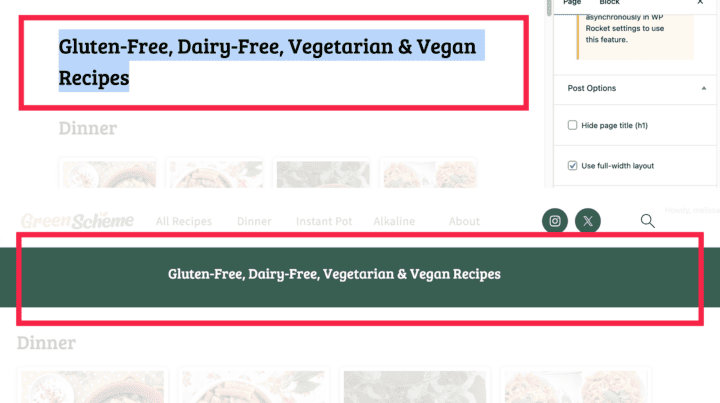
Homepage H1 (Default)
Your homepage H1 page title will inherit the background color you've assigned on the Feast+ Branding page. You can hide this banner by selecting "Hide page title (h1) in the editor sidebar.
Hiding it will still make it readable to Google; this setting is for aesthetics only.
Homepage H1 (Customized)
Many bloggers want to display a paragraph of text next to their H1, or create an entirely new banner:

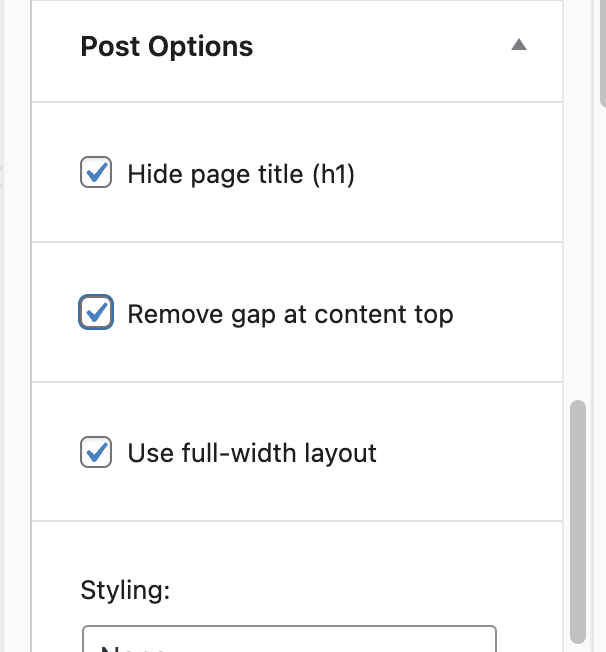
- In the homepage page settings (on the right side panel), enable these 3 options:
- Add a heading (h2), paragraph, and button and "Group" them together.
- Apply the "Feast Full Width" to the group.
Important! If you are using the exact same text for this banner that you have as your page title, remove the page title and, in step 2 above, make the heading an h1 instead. This avoids having duplicate h1's on the page.
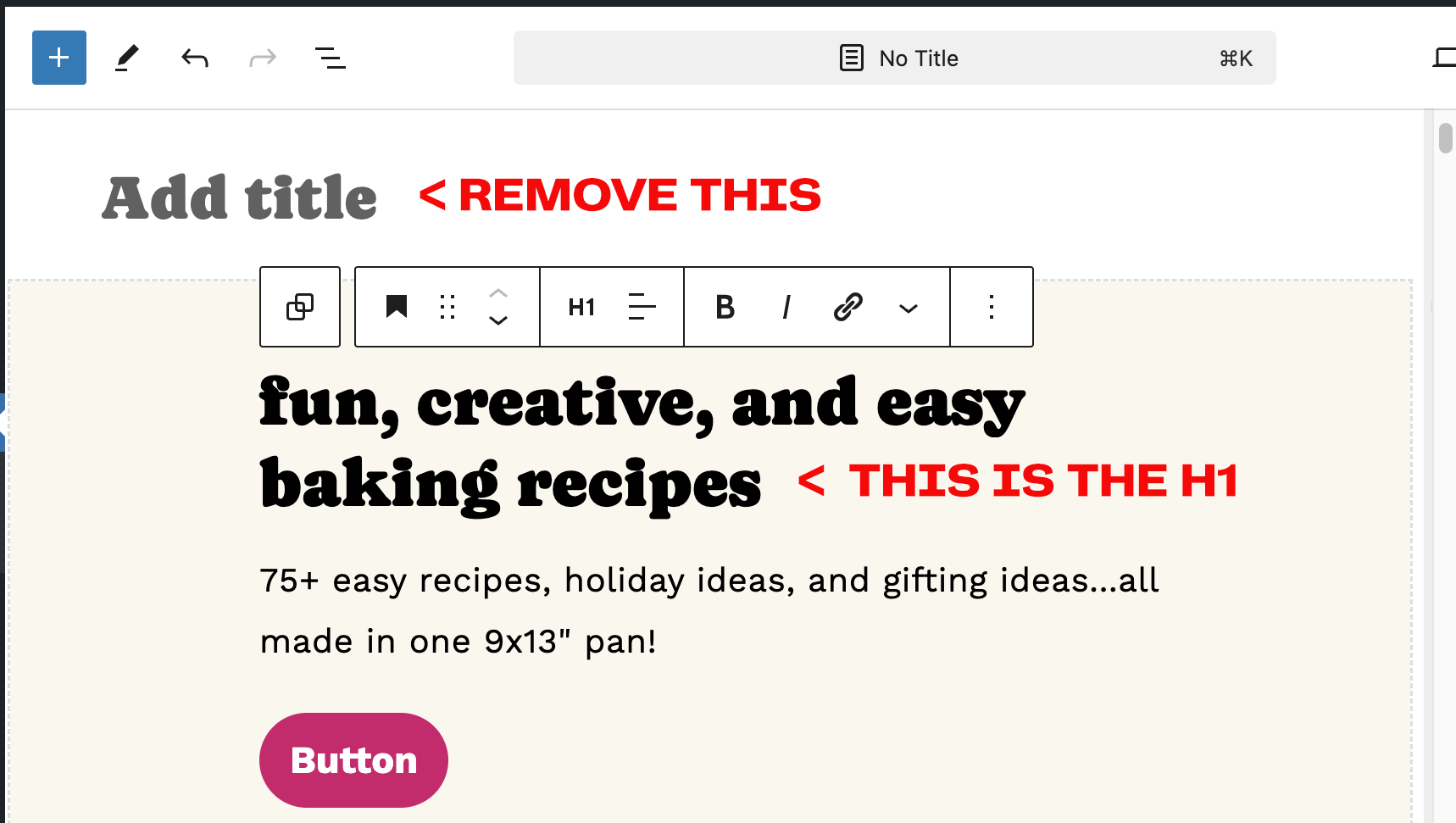
When doing this, be sure to copy your h1 text into the Yoast SEO title at the bottom of the page:
