
The original "Related Posts" feature built into most themes was designed for a time when blogs were blogs - chronological lists of posts.
But this is 2025, and blogs are dead. Modern content sites require proper site structure and content categorization.
People search for specific topics, and expect your linked content to be related.
The Modern Previous + Next replaces the 2 date-based text links at the bottom of posts, with 4 image+text links within the same parent category.

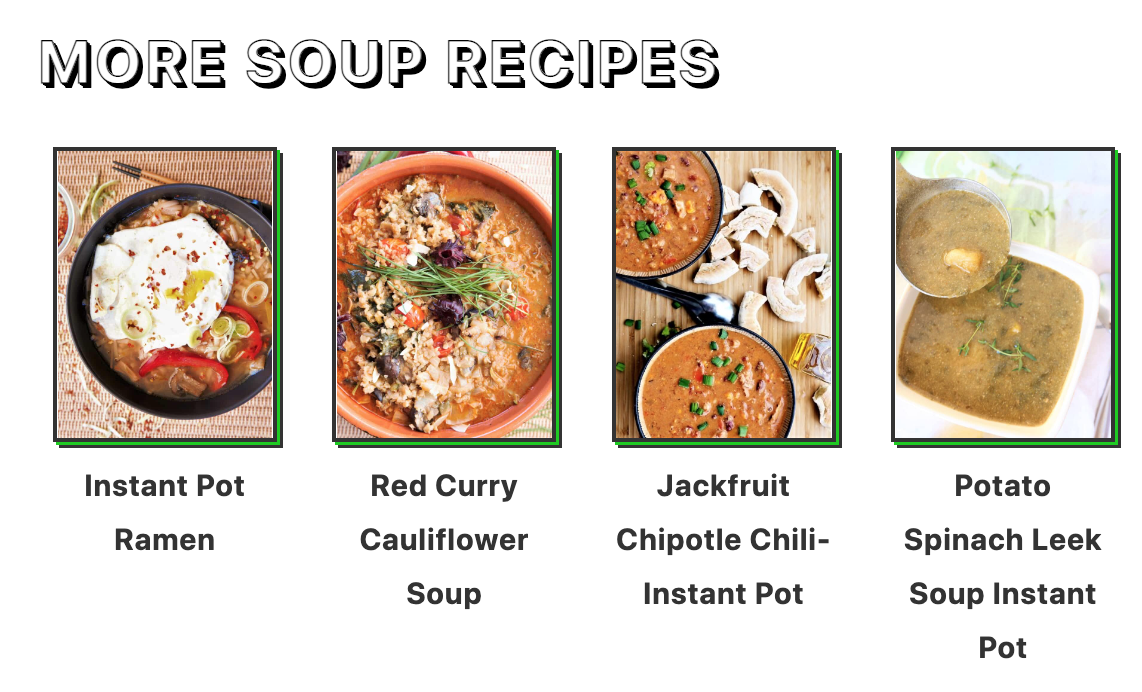
This is done to:
- improve user experience by providing more relevant content to pick from
- boost click through rates to relevant posts, earning more ad revenue
- better internally link to relevant content for SEO
Modern recipe sites need to be designed to display topically related content, not just what you happened to make the previous week, or next week.
If I land on your site for a quinoa powerbowl, I want other powerbowl recipes.
What I don't want is the german chocolate cake recipe you made the week before, or a crantini recipe you made the week after. These just aren't relevant to what I was looking for.
Jump to:
Activate
Simply enable this in the Feast Plugin to activate it:

How posts are chosen
If Yoast is enabled and the primary category is set for that post, it uses the primary category to display posts. This is the best practice.
If a primary category hasn't been set, this will simply get the first selected category on the "edit post" page. Not the best option, but better than chronologically chosen.
Note: in order to keep links persistent (eg. they don't change when the page is reloaded) and maintain variety we select the posts published within that category before the current one, chronologically.
This ensures that all posts get linked to, back to the oldest post in the category.
Customizing the heading
You can customize the heading under the "Post Settings" section of the Feast Plugin:
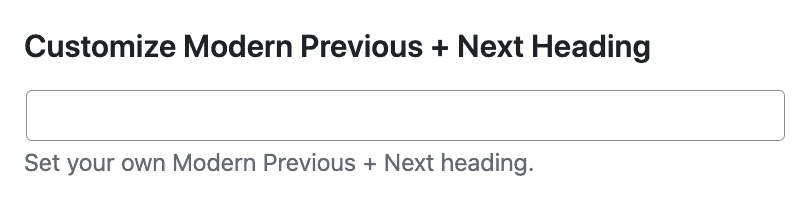
You can also dynamically insert the category fields with the words "title" and "name":
- The word "title" will be replaced with the "Archive Title" field
- The word "name" will be replaced with the category "Name" field
No posts showing
If you're getting the message "No category found with the slug soup-and-chili, or it doesn't have any posts in it." then:
- you may have no posts to display in the category
- you may have displayed the posts elsewhere on the page such as in an FSRI block or the filmstrip, which excludes those posts from being displayed below
The solution to this is may be to:
- not create categories that have less than 4 posts, by following our category guidelines
- change the Yoast primary category to one with more content
- remove the filmstrip via the Feast Plugin settings
- Note: we don't recommend removing an FSRI block from your content because that's the most important and relevant place to link from
Can I remove it from specific posts?
No, the Modern Previous + Next is a site-wide setting and can't be disabled on a post-by-post basis.
Troubleshooting
Irregular image sizes
By default, we use the default featured image size and fall back to the "medium" image thumbnail, which doesn't crop the image to a specific ratio. To resolve this, re-upload the featured images at our recommended size: 1200x1200 square.
Alternatively, you can select a thumbnail size that forces cropping such as:
- feast-square-1x1-360x360
- feast-landscape-4x3-360x270
- feast-portrait-2x3-360x540
We recommend either a square or landscape (horizontal) thumbnail that's at least 360px wide.
No image showing
This is likely because your post does not have a featured image.
Go to the post, and set the featured image.
Why is it showing unrelated recipes
This is usually caused by having a general "recipes" category (or "uncategorized") and either having that set as the Yoast Primary Category in the post editor, or not having a primary category set at all.
To solve this, assign the post to the best parent category.