
Feast+ members can set the colors on the Feast+ Branding Page > Custom List Styling.

Colored numbers
On the ordered list block (ie. numbered), you can now apply colored circles to the numbers to improve readability:

See the quick intro video:
A few notes:
- you must select the numbered / ordered list, not unordered list
- this appears in the style tab of the block, which is the half-white-half-black circle
- this does not work with reversed numbers
- list start numbers up to 20 are supported
- you must select the list block, not the individual list item
Numbered Step Headings
In addition to the instructions patterns, we've also added the ability to add large numbers next to headings. This is great if you have more comprehensive step-by-step instructions that you want in their own sections.
This gets applied by selecting the Heading and then selecting Feast+ Step#.
These numbers will be automatically applied in sequential order; you do not need to set each manually.
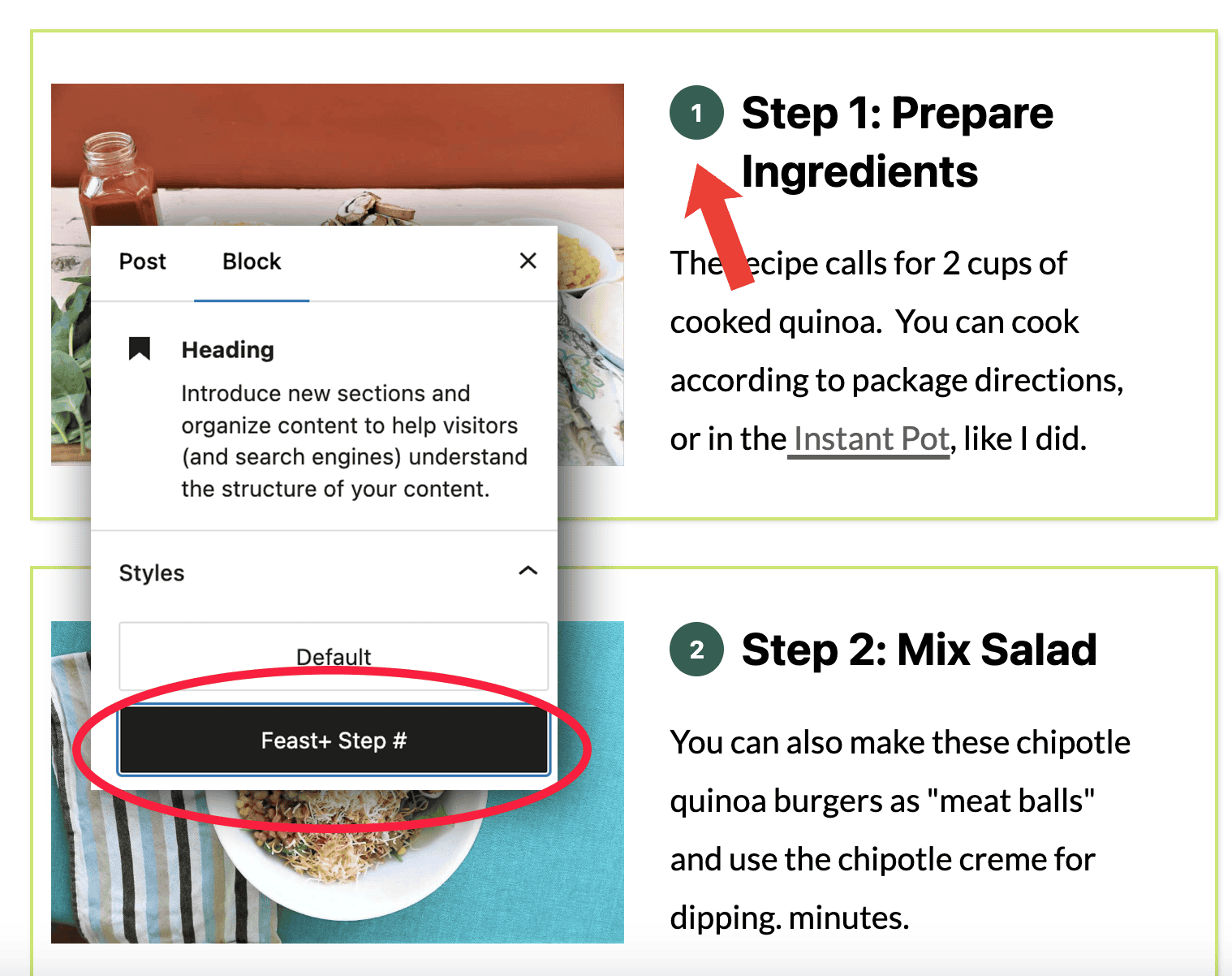
You can find this block pre-formatted in the Block Editor > [+] > Patterns > Feast Post Patterns > Instructions Pattern Horizontal