
Breadcrumbs refer to the "breadcrumb trail" of links that you see at the top of a post:
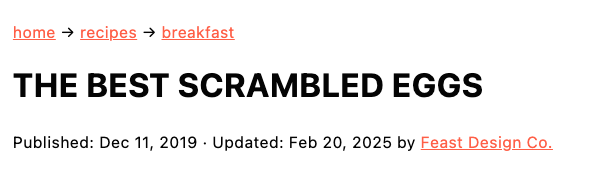
This helps:
- User Experience (UX) by providing easy access for readers to find more related recipes they might be interested in
- Search Engine Optimization (SEO) by providing clues to search engines about the topic this post deals with, and linking to key category pages
Breadcrumbs are critical to both UX and SEO and are considered a mandatory part of our setup. There is no reason to ever exclude this.
However, there's so much more optimization that can be done beyond a basic breadcrumb integration. The rest of this tutorial outlines the Feast breadcrumb optimizations, best practices, settings, and reasoning behind them.
This tutorial features the Feast Plugin, which enhances and extends your theme to improve SEO, pagespeed, accessibility and user experience.
Yoast has a feature which enables adding breadcrumb schema to your website, creating a more complete schema graph, which search engines love. For the full writeup, see: Yoast SEO Breadcrumbs
However, due to different setups with different themes, Yoast is unable to automatically insert its own breadcrumbs into a theme, so it relies on the user (or developer) to implement breadcrumbs using code.
Jump to:
- Feast Plugin's "Add Yoast Breadcrumbs"
- Configure Yoast breadcrumbs
- Breadcrumb category URL
- Enhancements
- Add the recipe index
- What you need to know
- Disabling Yoast breadcrumbs
- Breadcrumbs on category pages
- Remove the recipe index from specific categories
- Resources
- Duplicate breadcrumbs
- Manually adding Yoast breadcrumbs
Feast Plugin's "Add Yoast Breadcrumbs"
The Feast Plugin makes it easy to add and customization breadcrumbs:

The Add Yoast Breadcrumbs toggle in the Feast Plugin automatically inserts breadcrumbs above the post title, providing:
- An easy way for your readers to find related recipes by navigating to the parent category
- An additional backlink for search engines to follow, enabling them to better understand your site structure
Both of these are great to have, and we highly recommend having breadcrumbs enabled.
NOTE: Breadcrumbs must be enabled in Yoast's settings at SEO > Search Appearance > Breadcrumbs > Enabled.
Rather than needing to edit theme files or create custom code snippets, then having to monitor for updates and changes to breadcrumbs over time, simply enable the "Add Yoast Breadcrumbs" and we'll manage it on your behalf.
Note: in version 9.5.7 we've enhanced the breadcrumbs to use the <nav> element per these accessibility guidelines and Yoast recommendations.
Configure Yoast breadcrumbs
You'll still need to configure the Yoast breadcrumbs per our recommend settings in the SEO for food bloggers post. This includes:
- Yoast > Settings > Advanced > Breadcrumbs > Enable breadcrumbs for your theme > Enabled
- If not displaying, enable the "Add Yoast Breadcrumbs" setting in the Feast Plugin
- Yoast > Settings > Advanced > Breadcrumbs > Breadcrumbs for post types > Posts > Category
- Yoast > Settings > Advanced > Breadcrumbs > Breadcrumbs settings > Anchor text for the homepage > "Home"
- Feast Plugin > Breadcrumbs > Add the recipe index to your Yoast breadcrumbs
- Only for sites 100% dedicated to recipes
Breadcrumb category URL
Once configured per above, the breadcrumb will display the Primary Category assigned in your posts via the Yoast feature:
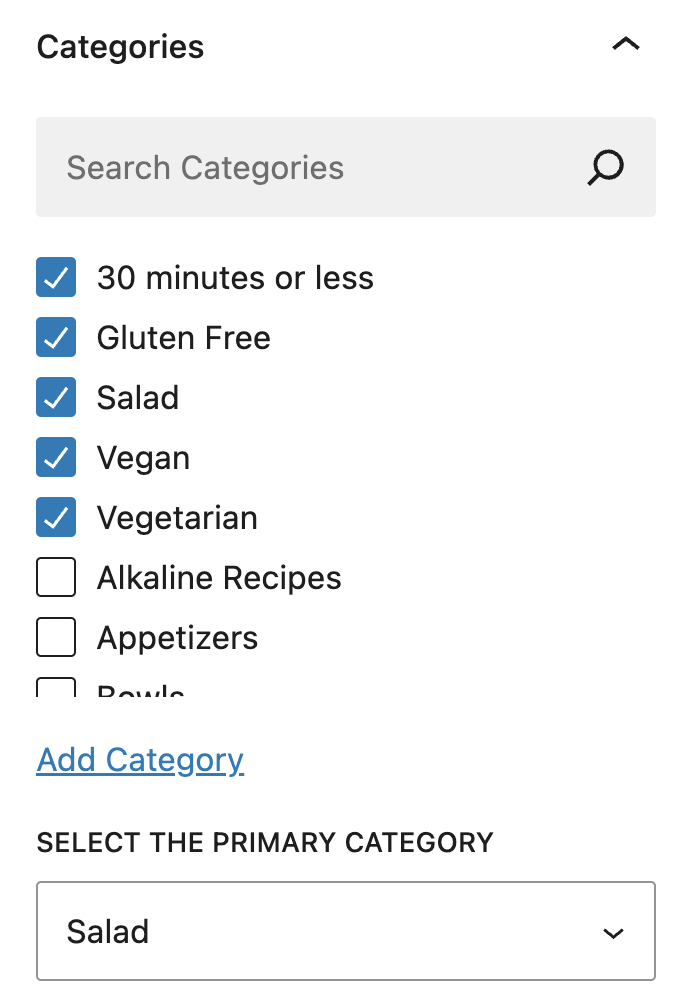
When selecting the primary category, you have to answer the question:
What category contains posts that my reader is likely to be interested in, based on this specific post?
For example, it's rarely a good idea to use a holiday-based category as the primary category unless your recipe is only for that holiday - otherwise, it will be irrelevant to the rest of the year. It's likely best placed in a meal (breakfast, lunch, dinner, dessert) or more specific category.
See our categories guide for more guidelines specific to category usage.
Enhancements
There are additional settings in the Feast Plugin to optimize the breadcrumbs. These are recommended settings and should be enabled for all sites:

The Remove current page title from Breadcrumbs will remove the unnecessary display of the post/page title, because the title displays directly below the breadcrumbs.
This removes unnecessary duplication from the page, and helps to declutter it for optimal User Experience.

The Hide breadcrumbs on pages without a parent will prevent breadcrumbs from displaying when there's no parent pages to link back to, which essentially just duplicates the page title and looks bad.
This removes breadcrumbs from administrative pages, where they don't serve any purpose.
Add the recipe index
You can add your recipe index as a part of the breadcrumbs, when you have a WPRM recipe card in the post:
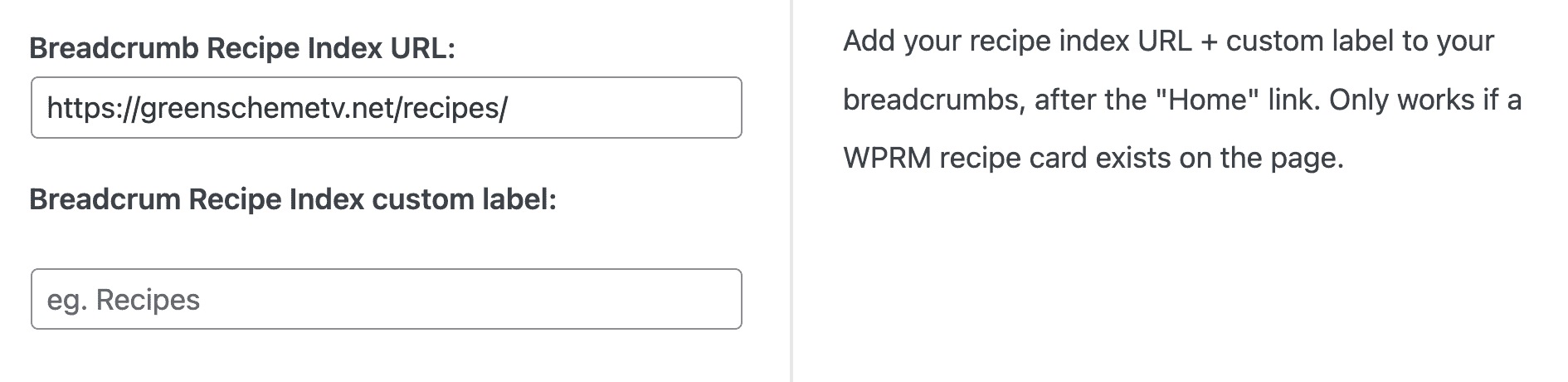
The URL is where the recipe index lives, and the custom label is what appears in the breadcrumb itself.
The Recipe Index URL gets added between the "Home" link and the primary category. This helps readers navigate to the Modern Recipe Index, which visually displays your categories:

It's only possible to add one page to this and it will always be called recipes. This feature is not usable by non-recipe sites or sites with multiple recipe indexes.
This has been tested and is valid breadcrumb schema. It will be added to all breadcrumbs on posts that contain a recipe card.
Note: this is not usable with nested/child categories that have been placed under a "Recipes" parent category which goes against our recommendations - you can either unnest your categories or not use this feature.
What you need to know
When adding the Recipe Index to the breadcrumbs:
- this only works if a WPRM recipe card is on the current page (unfortunately Create and Tasty don't have a way for us to do this)
- this will create duplicate "Recipe" breadcrumbs if you have a nested/top-level "Recipe" parent category, so don't use this feature if your site uses nested categories
- this will not work with translation plugins, so don't use it on multi-lang sites
- this is applied site-wide and can't be changed for non recipe posts (eg. travel)
Disabling Yoast breadcrumbs
The Feast Plugin includes an option to disable Yoast breadcrumbs on a per-post or per-page basis.

This is useful when building pages that don't require breadcrumbs, such as:
- Modern Homepage
- Modern Recipe Index
- Contact
- About
- Subscribe
Note that in most cases, using the following setting will achieve the same result with less work:
Breadcrumbs on category pages
Breadcrumbs are now added category pages.
This is because breadcrumb structured data is added to category pages regardless of whether they're displayed or not, however, Google guidelines on structured data requires that structured data must not be added if it's not visible to users on the page:
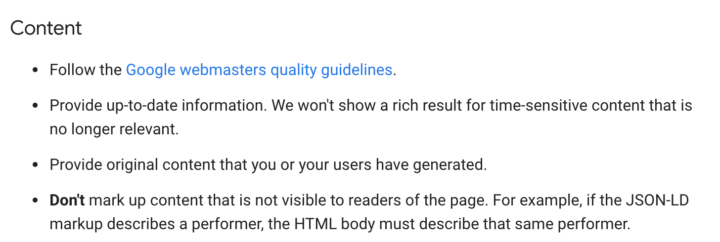
As a user experience, the breadcrumbs help readers navigate to the recipe index or home page.
While we don't recommend or support nested (subcategories), this also provides navigation to parent-categories for sites that have set this up in the past.
Thanks Nerdpress and Mediawyse and TopHatRank for feedback.
Remove the recipe index from specific categories
On the "Edit Category" page of categories, you have the option to remove this from that specific category:

This is found on the "edit category" page.
Resources
- https://www.w3.org/WAI/ARIA/apg/patterns/breadcrumb/
- https://www.w3.org/WAI/WCAG21/Techniques/general/G65.html
- https://yoast.com/features/breadcrumbs/
Duplicate breadcrumbs
While the Feast Plugin will automatically disable Genesis breadcrumbs for you, two lines of breadcrumbs can still appear on sites which have manually added the Yoast Breadcrumbs code to their site. Possible sources are:
- Theme files (especially functions.php)
- Code snippets plugin
- Genesis simple hooks plugin
Manually adding Yoast breadcrumbs
If using the Feast Plugin, this is unnecessary - simply enable the "Add Yoast Breadcrumbs".
We don't recommend or support manually adding breadcrumbs.
If you're technically inclined and want to add something else you need to maintain and update over time, you can manually add the breadcrumbs to your theme using the code provided by Yoast:
<?php
if ( function_exists('yoast_breadcrumb') ) {   yoast_breadcrumb( '<p id="breadcrumbs">','</p>' ); }
?>
Note: You'll need to hook this to the correct location in your theme using add_action or add_filter. We recommend add this to the code snippets plugin rather than the theme files.