Skip to content
Feast Design Co.
  • Get the Feast Plugin
  • DocumentationExpand
    • Feast Plugin
    • Feast+
  • Open a Support Ticket
New to Feast? Start Here
Login/Account
Feast Design Co.

Getting Started

3
  • Migrating to Feast
  • Staging Site
  • Sign Up For The Newsletter

Genesis Setup

15
  • Edit Post Info
  • Update Author Bio
  • Modern Navigation
  • Clear Cache ‼️
  • Layout
  • Modern Index
  • Feast Plugin Setup
  • Modern Homepage Setup
  • Modern Menu for Desktop
  • Modern Mobile Menu
  • Sidebar
  • Modern 404
  • Modern Recipe Index
  • Modern Categories
  • Modern Footer

Plugin Settings

18
  • Edit Body Font Size
  • Subscribe button
  • Social Icons
  • Recipe Key
  • Post Template
  • Table of Contents
  • Post IDs
  • Google Trusted Source
  • Edit Leave a Reply
  • Disable Trackbacks
  • Modern Previous + Next
  • Posts per page
  • Breadcrumbs
  • Productivity
  • Smooth scrolling
  • Image unlink
  • Replace recipe card Jump To buttons
  • BETA

Block Editor 101

4
  • Block Editor
  • Block themes
  • Patterns
  • Why we don't support block-level styling

Blocks & Patterns

15
  • Post Template
  • Numbered Lists
  • Table of Contents
  • Full Width Banner
  • Featured Recipe Pattern
  • Why we don't support block-level styling
  • Process Shots
  • Inline Heading Group Block
  • Step Instructions
  • Advanced "Jump To" Links
  • Reader Review
  • Feast Patterns
  • Displaying Post Blocks (FSRI)
  • Displaying Category Blocks (FSCI)
  • Scheduled Categories

Page Templates

3
  • Custom 404
  • How to use Categories
  • Shop page

Customize

8
  • Customizer
  • Customizations
  • Customization Referrals
  • Why we don't support block-level styling
  • Per Page CSS
  • Why you shouldn't make customizations
  • Custom CSS
  • Customization Support

Images

10
  • Post Images
  • Default Image Size
  • Modern post image sizes
  • How thumbnails work
  • Modern Thumbnails (Featured Images)
  • Troubleshooting Featured Images
  • Displaying Post Blocks (FSRI)
  • Process Shots
  • Image Alt Tags
  • Why do my images look different in edit post and live?

Feast+

32
  • What is Feast+?
  • Feast+ Setup
  • Design Kits
  • Feast+ Fonts
  • Feast+ FAQ
  • Feast+ Showcase
  • Feast+ Patterns
    • Top Banner
    • Custom list styling
    • Numbered Lists
    • Full Width Banner
    • Feast+ Footer
    • Feast+ Call to Action
    • Icon Tip Boxes
    • As Seen In
    • Reader Review
  • Feast+ Pre-Built Pages
    • Feast+ Homepage
    • Feast+ Index
    • Feast+ Category Pages
    • Social Landing Page (Link In Bio)
  • Branding & Design
    • Feast Fonts
    • Feast+ Branding & Design
  • Feast+ Features
    • Full-Width Post Header
    • Custom List Styling
    • Colored Numbered Lists
    • Top 10 List Styling
    • Step Instructions
    • Heading Styling
    • Top of Site CTA Banner
    • Custom Background Pattern
  • Design Kits
    • Feast+ Design Kits (Members)
    • Feast+ Design Kit Library
    • Feast+ Design Kit Instructions

Recipes

7
  • Reviews
  • Recipe Key
  • Ingredients
  • Displaying Category Blocks (FSCI)
  • Displaying Post Blocks (FSRI)
  • Featured Recipe Pattern
  • All Recipes

Social Sharing

2
  • Social Icons
  • Tiktok

Logo & Fonts

5
  • Retina Quality Logo
  • Create your logo
  • Edit Body Font Size
  • Fonts
  • Logo

Categories

3
  • Why Isn't the Category Description Appearing?
  • Displaying Category Blocks (FSCI)
  • How to use Categories

Speed & SEO

18
  • Image Alt Tags
  • Speculative Loading
  • Google Trusted Source
  • 301 Redirects, Links, Canonical and Pagespeed
  • Image file size vs. pagespeed
  • Duplicate Content
  • Lazyloading comments
  • CLS
  • Blocking Time
  • SEO
  • Skip lazy loading first post image
  • Horizontal scrolling
  • Smooth scrolling
  • Pagination
  • Pingbacks
  • INP (Interaction to Next Paint)
  • CDNs
  • Site Speed

Blogging Resources

15
  • Food Blog Sitelinks
  • Photography
  • Understanding "penalties"
  • Food Blog Page Structure
  • Food Blog Site Structure
  • Comments
  • Internal links
  • Analytics
  • Pagespeed
  • SEO for Food Bloggers
  • Modern guidelines for page headings
  • How to Write a Recipe Post
  • Recipe Page Guidelines for Food Bloggers
  • Image Optimization
  • Recipe Update Checklist

Legal Resources

5
  • Legal Resources
  • DMCA and Copyright Infringement
  • Copyrights
  • Accessibility
  • Private Label Rights (PLR)

Troubleshooting

10
  • Why do my images look different in edit post and live?
  • Why Isn't the Category Description Appearing?
  • Troubleshoot Plugin Conflicts
  • How to update your theme
  • Feast Plugin FAQ
  • W3 HTML Validation
  • Sorry, this file type is not permitted for security reasons.
  • Troubleshooting Featured Images
  • Either "name" or "item. name" should be specified (in "itemListElement")
  • Clear Cache ‼️

Compatibility

2
  • Compatibility
  • WP 6.7

Integrations

8
  • Ecommerce
  • Ingredients
  • Google Trusted Source
  • Contact Forms
  • Translation
  • WP Recipe Maker
    • Reviews
    • QR Code
    • Ingredients

Developer Resources

6
  • Multisite
  • Feast Plugin Deprecated
  • W3 HTML Validation
  • Feast Plugin: Disable Theme Google Fonts
  • Rethinking the Thumbnails
  • Design
View Categories
  • Home
  • Documentation
  • Genesis (Legacy)
  • Page Templates
  • Custom 404

Custom 404

The Custom 404 is an alternative to the Modern 404 page we have built in by default. If you don't want to use our default Modern 404 page, you can create your own Custom 404.

The Custom 404, which lets you build a brandable, custom "page not found" where you can create a more branded, memorable experience.
Jump to:
  • Compatibility
  • Setup
  • What to add
  • How do visitors end up on a 404 page?
  • SEO
  • Examples
  • Analytics

Compatibility

This is only available on Foodie Pro 5 (on Genesis) or our new Kadence themes which are included with your Feast Plugin subscription, and you can install yourself or have us install for you.

Setup

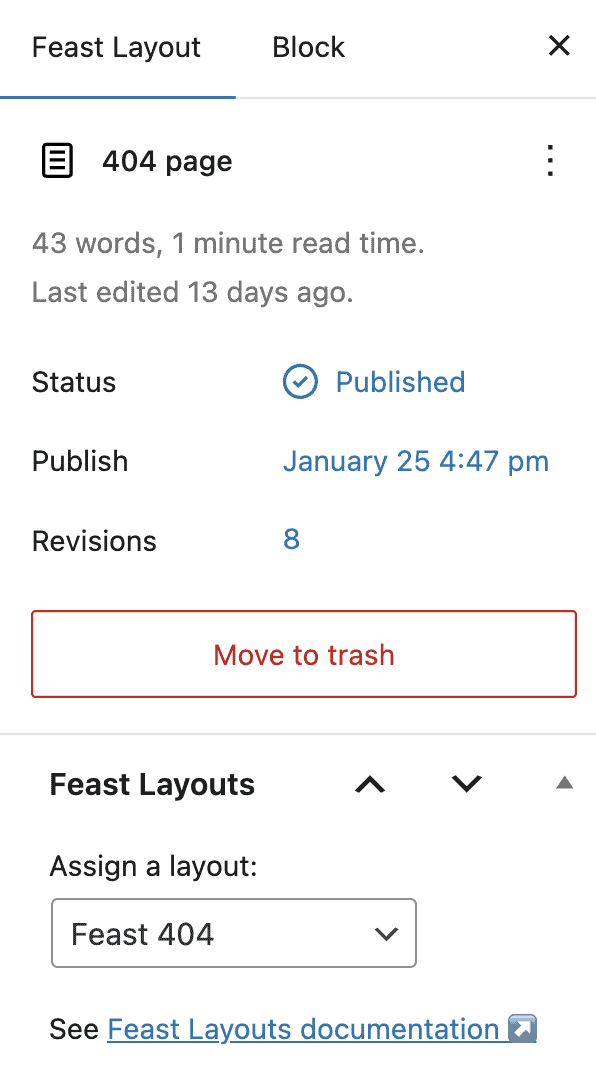
404 pages are controlled by template files within WordPress that typically require editing files, which is technical and prone to issues with updates. To simplify this, we've made it so that you can edit your custom 404 template directly in the WordPress admin.

This requires enabling the Feast Layouts within your Feast Plugin settings:

  • Make sure the Feast Layouts are enabled
  • Create a new Feast Layout
  • Under Assign a Layout, set it to Feast 404
  • Add your own content to the page and hit Publish
What to add

Content on this can include:

  • a branded logo, caricature or mascot
  • fun or cute "not found" message
  • call-to-action to sign up for your newsletter or ebook
  • a Google Trusted Source button
  • your own selection of top recipes, seasonal recipes, or reader favorites
  • your social media icons so that users can find content on those sites

Note that we generally don't recommend sending readers AWAY from your website because they won't see your ads.

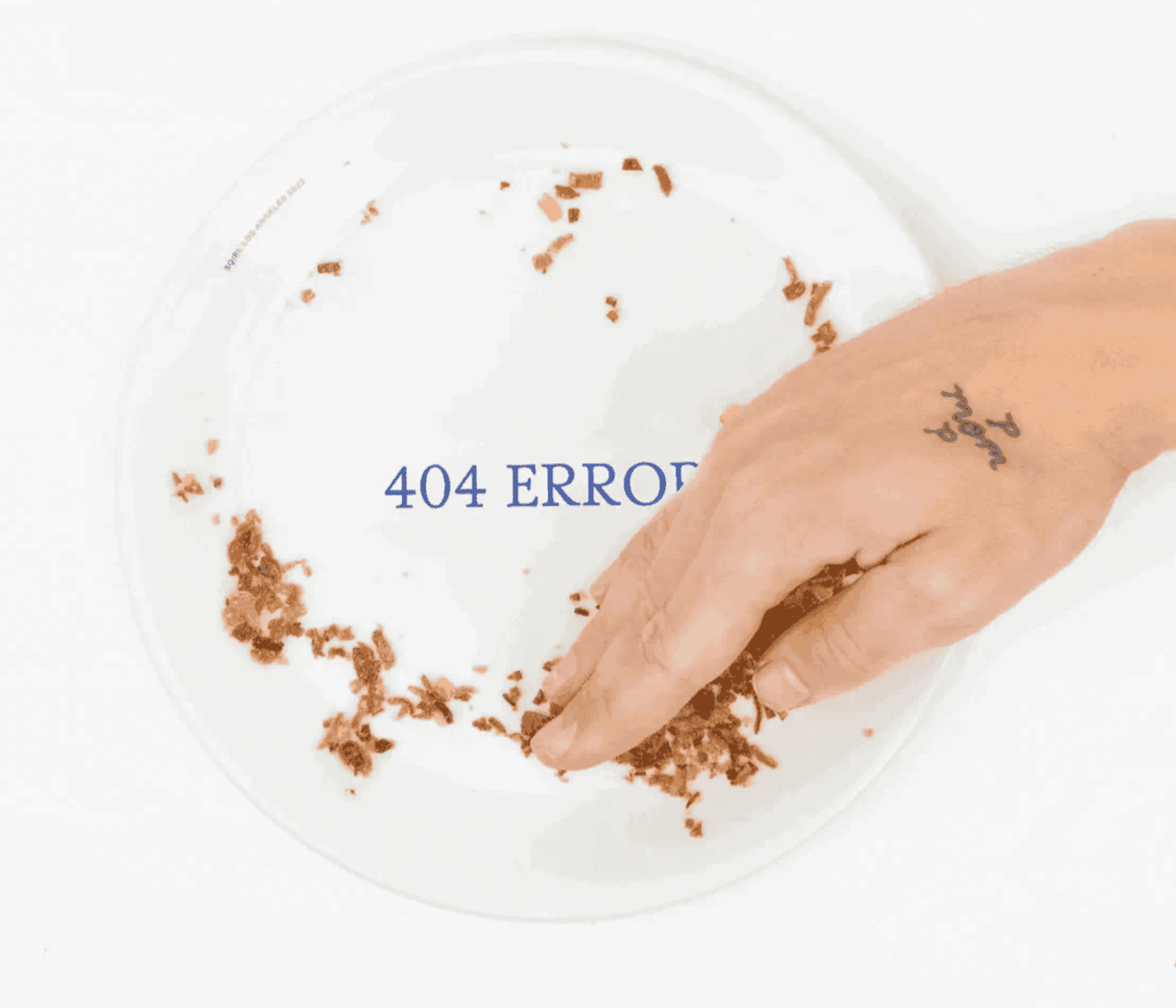
You probably have some b-roll/unused kitchen disaster photos that you can playfully drop in:

  • Burnt food: I had to toss this one out, but you might like this instead:
  • Broken dishes: Oops! Looks like that's broken.
  • Messy kitchen: We need to do some clean up but meanwhile, check this out:
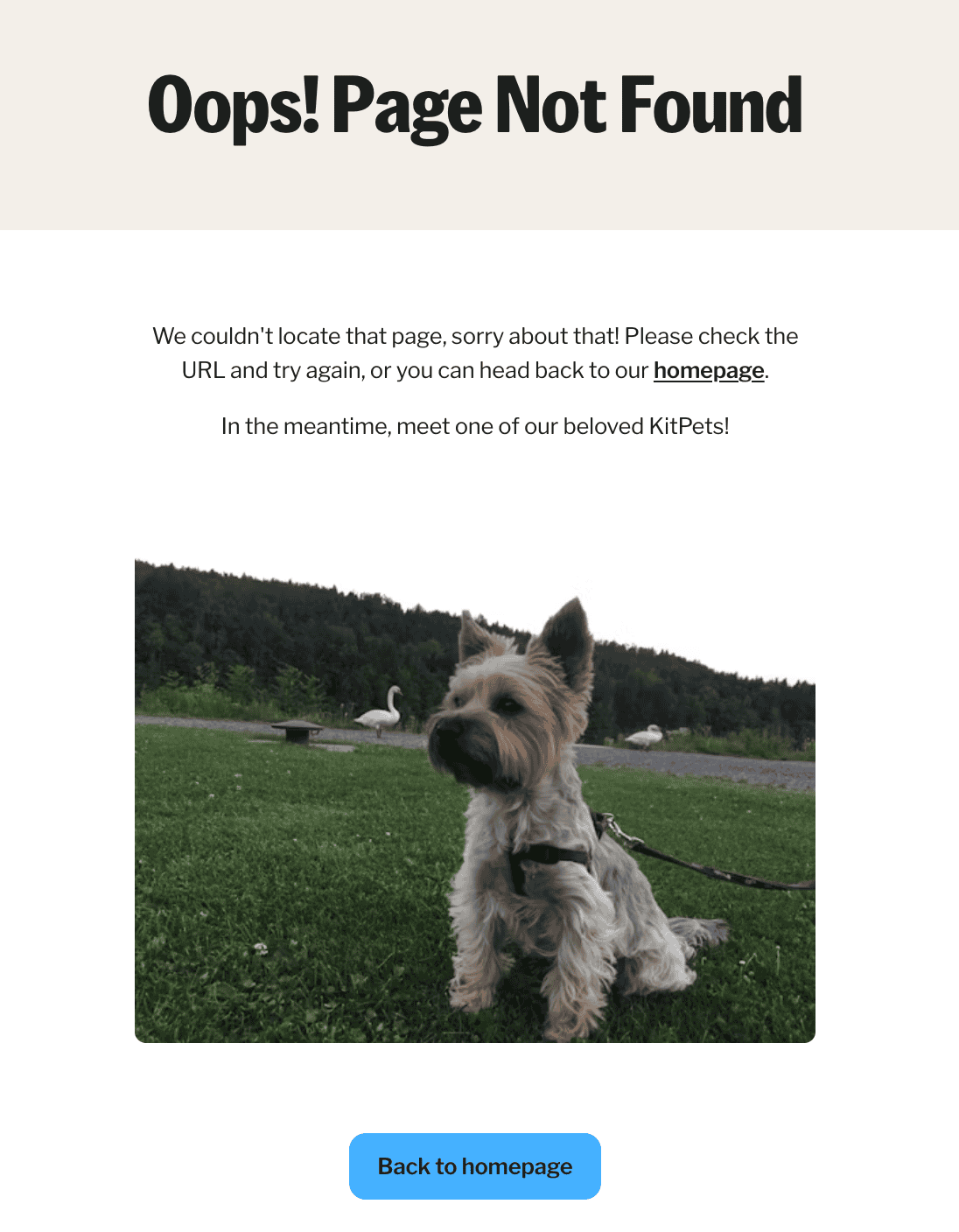
  • Pet: Milo ate this page, but here's some recipes he didn't get to:
  • Cake with a bite taken out: Something's missing here...
  • Your cookbook with a page torn out: This recipe is gone

There's no rules to 404 page design so let your creative side out!

How do visitors end up on a 404 page?

Visitors typically end up here by following a link that used to exist on your site, but was deleted at some point. This can be internal (on your site) or external (from another site).

You can control your own internal links and be using the Broken Link Checker plugin to make sure you don't have any broken internal links.

You can't control how other sites link to you though, so having a helpful 404 page should help visitors find what they were originally looking for.

SEO

The 404 page is noindexed and will not affect SEO directly.

Creating a compelling and friendly 404 page that encourages visitors to stick around instead of bouncing, and may impact user experience metrics Google factors into ranking, indirectly.

This is a very very minor factor and isn't worth spending too much time on.

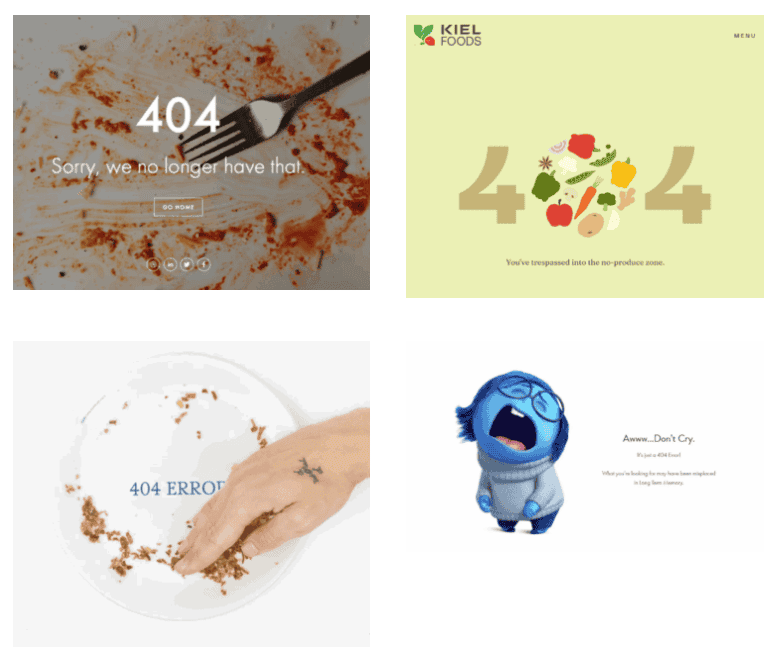
Examples

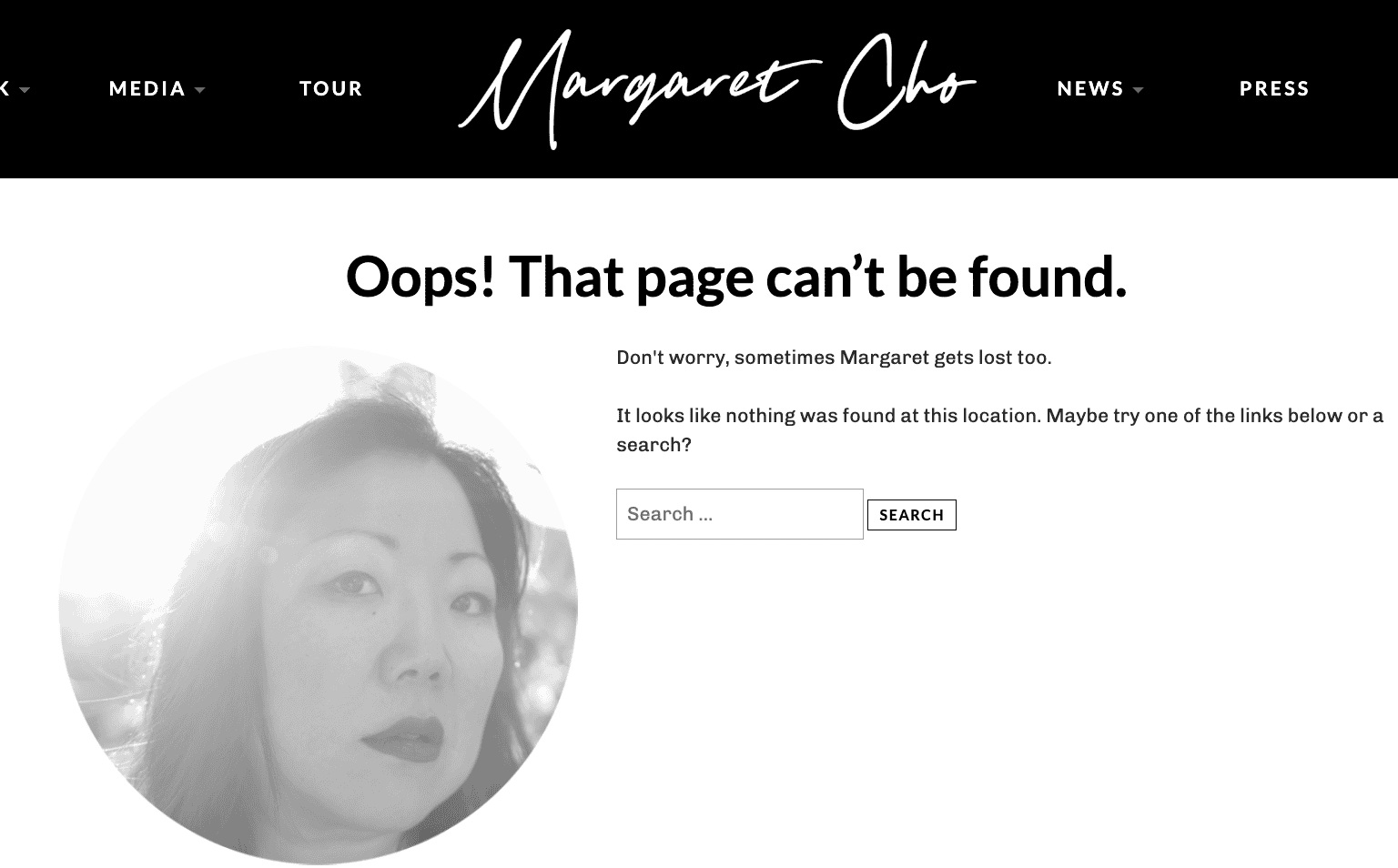
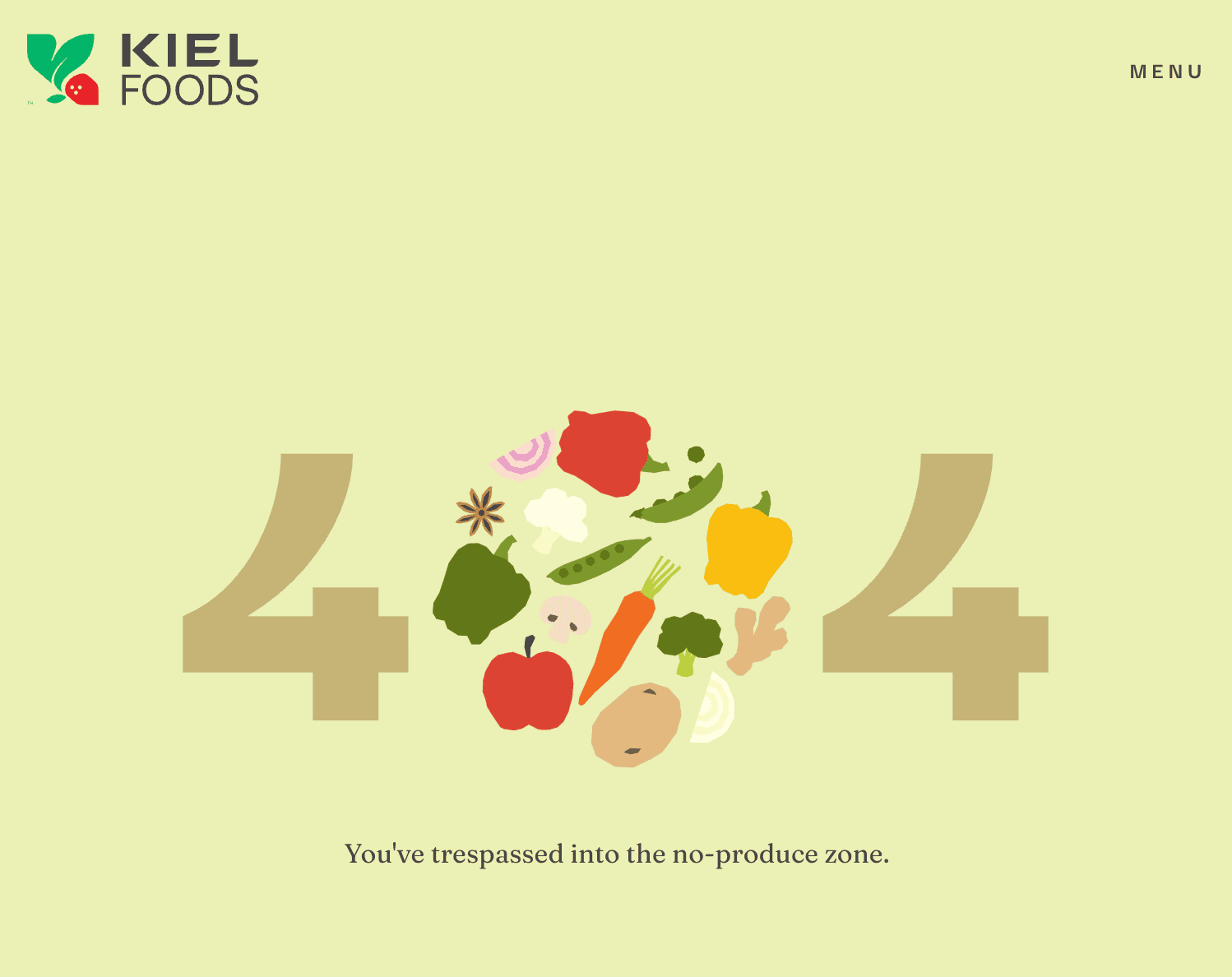
Some larger sites might put in custom graphics or photography because their 404 pages get a high volume of accidental traffic, but most sites would be fine with a bit of text and suggestions for where the reader should go.

Analytics

Analytics or Google Search Console will sometimes show garbage pages on your site that come from bots, crawlers, spam sites or other places. These do not represent problems with your site, but are just part of the chaos that is the internet.

These non-existent pages will show your custom 404.

In some cases, junk pages can be a sign that a site was compromised and something was inserted into your site that is cause for concern. The only way to really know is to have an audit done by a third-party provider such as NerdPress. If you don't have third-party support services, you might be able to ask your host to take a quick look to see if there are any red flags.

Was this helpful?

  • Happy
  • Sad
Shop pageHow to use Categories

Products

  • Feast Plugin
  • Feast+
  • Feast+ White Glove
  • Feast+ Style Refresh
  • Done-for-you Services
  • Demo trial
  • Themes
  • Theme Install Service
  • Classic Themes
  • Lattice Plugin
  • Travel
  • Logo creation

Help

  • Kadence tutorials
  • Kadence Install
  • Documentation & Tutorials
  • Feast+ Members
  • Discounts & Coupons
  • Trellis 2.0
  • Trellis
  • Trellis Migration
  • Compatibility
  • Support
  • Legal resources
  • Genesis vs. Kadence
  • Changelog
  • How to start a blog course

Company

  • Privacy Policy
  • Refund Policy
  • Terms & Conditions
  • Why Feast
  • Principles & Best Practices
  • Affiliates
  • Contact
  • Opinion Disclaimer
  • AI Policy

Copyright ©  2026 · Feast Design Co. Results not typical or guaranteed. Our themes and plugins are just a small part of the overall effort involved in running a food blog. Nothing on this website shall constitute legal or financial advice, always consult a local lawyer and accountant. Accessing this website and all transactions herein are under the laws and jurisdiction of Toronto, Ontario, Canada. All pricing is USD.

  • Get the Feast Plugin
  • Documentation
    • Feast Plugin
    • Feast+
  • Open a Support Ticket
Facebook X Instagram
Search