Skip to content
Feast Design Co.
  • Get the Feast Plugin
  • DocumentationExpand
    • Feast Plugin
    • Feast+
  • Open a Support Ticket
New to Feast? Start Here
Login/Account
Feast Design Co.

Getting Started

3
  • Migrating to Feast
  • Staging Site
  • Sign Up For The Newsletter

Genesis Setup

15
  • Edit Post Info
  • Update Author Bio
  • Modern Navigation
  • Clear Cache ‼️
  • Layout
  • Modern Index
  • Feast Plugin Setup
  • Modern Homepage Setup
  • Modern Menu for Desktop
  • Modern Mobile Menu
  • Sidebar
  • Modern 404
  • Modern Recipe Index
  • Modern Categories
  • Modern Footer

Plugin Settings

18
  • Edit Body Font Size
  • Subscribe button
  • Social Icons
  • Recipe Key
  • Post Template
  • Table of Contents
  • Post IDs
  • Google Trusted Source
  • Edit Leave a Reply
  • Disable Trackbacks
  • Modern Previous + Next
  • Posts per page
  • Breadcrumbs
  • Productivity
  • Smooth scrolling
  • Image unlink
  • Replace recipe card Jump To buttons
  • BETA

Block Editor 101

4
  • Block Editor
  • Block themes
  • Patterns
  • Why we don't support block-level styling

Page Templates

3
  • Custom 404
  • How to use Categories
  • Shop page

Blocks & Patterns

15
  • Post Template
  • Numbered Lists
  • Table of Contents
  • Full Width Banner
  • Featured Recipe Pattern
  • Why we don't support block-level styling
  • Process Shots
  • Inline Heading Group Block
  • Step Instructions
  • Advanced "Jump To" Links
  • Reader Review
  • Feast Patterns
  • Displaying Post Blocks (FSRI)
  • Displaying Category Blocks (FSCI)
  • Scheduled Categories

Customize

8
  • Customizer
  • Customizations
  • Customization Referrals
  • Why we don't support block-level styling
  • Per Page CSS
  • Why you shouldn't make customizations
  • Custom CSS
  • Customization Support

Images

10
  • Post Images
  • Default Image Size
  • Modern post image sizes
  • How thumbnails work
  • Modern Thumbnails (Featured Images)
  • Troubleshooting Featured Images
  • Displaying Post Blocks (FSRI)
  • Process Shots
  • Image Alt Tags
  • Why do my images look different in edit post and live?

Feast+

32
  • What is Feast+?
  • Feast+ Setup
  • Design Kits
  • Feast+ Fonts
  • Feast+ FAQ
  • Feast+ Showcase
  • Feast+ Patterns
    • Top Banner
    • Custom list styling
    • Numbered Lists
    • Full Width Banner
    • Feast+ Footer
    • Feast+ Call to Action
    • Icon Tip Boxes
    • As Seen In
    • Reader Review
  • Feast+ Pre-Built Pages
    • Feast+ Homepage
    • Feast+ Index
    • Feast+ Category Pages
    • Social Landing Page (Link In Bio)
  • Branding & Design
    • Feast Fonts
    • Feast+ Branding & Design
  • Feast+ Features
    • Full-Width Post Header
    • Custom List Styling
    • Colored Numbered Lists
    • Top 10 List Styling
    • Step Instructions
    • Heading Styling
    • Top of Site CTA Banner
    • Custom Background Pattern
  • Design Kits
    • Feast+ Design Kits (Members)
    • Feast+ Design Kit Library
    • Feast+ Design Kit Instructions

Recipes

7
  • Reviews
  • Recipe Key
  • Ingredients
  • Displaying Category Blocks (FSCI)
  • Displaying Post Blocks (FSRI)
  • Featured Recipe Pattern
  • All Recipes

Social Sharing

2
  • Social Icons
  • Tiktok

Logo & Fonts

5
  • Retina Quality Logo
  • Create your logo
  • Edit Body Font Size
  • Fonts
  • Logo

Categories

3
  • Why Isn't the Category Description Appearing?
  • Displaying Category Blocks (FSCI)
  • How to use Categories

Blogging Resources

15
  • Food Blog Sitelinks
  • Photography
  • Understanding "penalties"
  • Food Blog Page Structure
  • Food Blog Site Structure
  • Comments
  • Internal links
  • Analytics
  • Pagespeed
  • SEO for Food Bloggers
  • Modern guidelines for page headings
  • How to Write a Recipe Post
  • Recipe Page Guidelines for Food Bloggers
  • Image Optimization
  • Recipe Update Checklist

Speed & SEO

18
  • Image Alt Tags
  • Speculative Loading
  • Google Trusted Source
  • 301 Redirects, Links, Canonical and Pagespeed
  • Image file size vs. pagespeed
  • Duplicate Content
  • Lazyloading comments
  • CLS
  • Blocking Time
  • SEO
  • Skip lazy loading first post image
  • Horizontal scrolling
  • Smooth scrolling
  • Pagination
  • Pingbacks
  • INP (Interaction to Next Paint)
  • CDNs
  • Site Speed

Legal Resources

5
  • Legal Resources
  • DMCA and Copyright Infringement
  • Copyrights
  • Accessibility
  • Private Label Rights (PLR)

Troubleshooting

10
  • Why do my images look different in edit post and live?
  • Why Isn't the Category Description Appearing?
  • Troubleshoot Plugin Conflicts
  • How to update your theme
  • Feast Plugin FAQ
  • W3 HTML Validation
  • Sorry, this file type is not permitted for security reasons.
  • Troubleshooting Featured Images
  • Either "name" or "item. name" should be specified (in "itemListElement")
  • Clear Cache ‼️

Compatibility

2
  • Compatibility
  • WP 6.7

Integrations

8
  • Ecommerce
  • Ingredients
  • Google Trusted Source
  • Contact Forms
  • Translation
  • WP Recipe Maker
    • Reviews
    • QR Code
    • Ingredients

Developer Resources

6
  • Multisite
  • Feast Plugin Deprecated
  • W3 HTML Validation
  • Feast Plugin: Disable Theme Google Fonts
  • Rethinking the Thumbnails
  • Design
View Categories
  • Home
  • Documentation
  • Genesis (Legacy)
  • Speed & SEO
  • Image file size vs. pagespeed

Image file size vs. pagespeed

We don't actually recommend uploading images larger than 1200px, but made a point of using oversized images below to take this to the extreme as a demonstration.

There's some commonly circulating advice that images should be "pre optimized" and uploaded at a certain dimension and file size for pagespeed, usually 250kb.

This has been misconstrued to mean that you should upload as small as possible, which causes later problems when updating or changing themes. Sometimes, entire posts have to be re-shot because the previous images won't work on a modern theme.

Exporting your images at the correct size with compression (eg. 80% quality) is still a best practice, but the practice of uploading exact-match content width (600px, 680px or 720px) is dead.

We can now upload our images at 1200px to future-proof our content without worrying about pagespeed. To accomplish this, we need:

  • the Feast Plugin to register the correct image thumbnails, which WordPress uses to generate thumbnail sizes and serve via srcset
  • Shortpixel to optimize these thumbnail images
  • WP Rocket to lazyload these images, rather than loading on initial page load
  • a theme that uses WordPress core image output functions, like the ones from Feast Design Co.

But don't take my word for it. Let's test it on this page.

Jump to:
  • Testing
  • How does it work?
  • Recommended upload size
  • Screen pixel density
  • Server file size
  • WordPress upload optimization

Testing

Here's the pagespeed score before adding any images:

And here's a great big honking unoptimized, uncompressed 3840x5760 image, inserted at "full size":
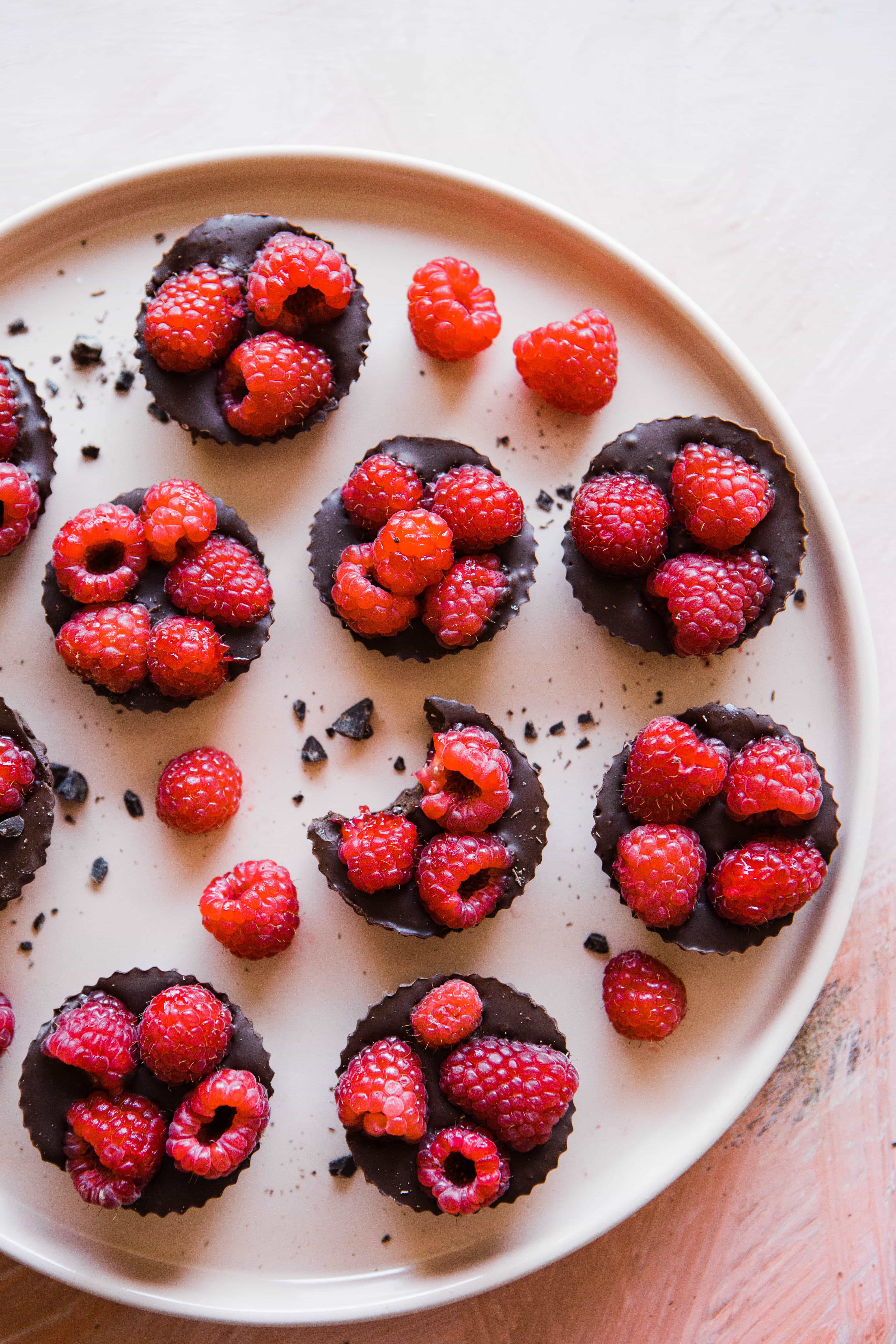
Upload file size: 3600 kb (3.6 mb)

Photo credit Brooke Lark from Unsplash

Here's the image re-uploaded at 1200px width with basic optimization (85% quality in GIMP) inserted at "full size":

Upload file size: 511 kb

And here's the image re-uploaded at 720px (100% content width) with basic optimization (75% quality in GIMP) inserted at "full size":

Upload file size: 204 kb

And here's the pagespeed score with all 3 of these images now on the page:

mind blown gif

How does it work?

Recap from above:

  • the Feast Plugin registers the correct image thumbnails, which WordPress uses to generate thumbnail sizes and serve via srcset
  • Shortpixel optimizes these thumbnail images
  • WP Rocket lazyloads these images, rather than loading on initial page load

This thumbnails and srcset looks like this:

The 134-kb 720px image will be used for 720px width display.

The 44-kb 360px image will be used for 360px width display.

The 180px image may be used on half-width images on 360px screens. We may need to further enhance this using the sizes attribute, but this will require further testing + development.

The 800 and 600 width images are built into WordPress core and could actually be removed. We haven't done any testing for this.

Recommended upload size

We recommend 1200px because it provides some room for "future proofing". The current content width is 720px on desktop with a sidebar, and just under 1200px full width including the sidebar.

We don't know what the future holds, and it's entirely possible that your images will be viewed through ultra-HD VR glasses in 10 years.

Or be displayed on full-counter-top-width interactive screens in your kitchen.

Remember: 80% of pageviews for most food blogs come from mobile, which displays content at 360px width. This is your primary concern.

Screen pixel density

Many (most?) modern devices use screens with a pixel density of "2x". How this gets applied by browsers is confusing, and varies between browsers. However, the 1200px width uploads will impact this.

Even though we've specified that in-post images will display at 720px, the browser (at least Chrome) will still attempt to download the largest size, up to 2x - which would be 1440px.

Since we have a 1200px width image, the browser (Chrome) will preferentially grab this image and insert it into desktop displays for the highest quality user experience. This means that you'll end up using more bandwidth than if you had uploaded at 720px. Generally, bandwidth isn't a limiting factor for food blogs, so this isn't too crucial.

With lazyloading enabled, this should have no impact on pagespeed.

Thanks to Ben Myrhe and Andrew @ Nerdpress for digging into this.

One possible solution for sites struggling with image files (200 GB+) is WP Offload Media, however this requires careful technical configuration and introduces other technical considerations. We do not currently recommend or support this approach.

Server file size

It's worth noting that while uploading large images and inserting them at "full size" has no impact on pagespeed thanks to the the thumbnails, shortpixel and WP Rocket, they will still take up disk space on your server.

That's the only thing holding you back from uploading 3000px images: you would need to upgrade your server. Not that we recommend it.

Generating those thumbnails also consumes CPU + ram, which temporarily slows your servers while they're built and saved to your disk. This is usually temporary and shouldn't have long-term consequences, unless you're already pushing your server to its limits.

So CPU usage isn't a huge problem, but disk space and backup file size would be.

This ultimately comes down to the fact that you'd just have to throw money at the problem.

WordPress upload optimization

A version of WordPress released last year added code to automatically resize any image to maximum 2560 pixels as the longest dimensions. We recommend using the disable big images threshold plugin to disable this functionality due to unknown consequences.

Was this helpful?

  • Happy
  • Sad
301 Redirects, Links, Canonical and PagespeedDuplicate Content

Products

  • Feast Plugin
  • Feast+
  • Feast+ White Glove
  • Feast+ Style Refresh
  • Done-for-you Services
  • Demo trial
  • Themes
  • Theme Install Service
  • Classic Themes
  • Lattice Plugin
  • Travel
  • Logo creation

Help

  • Kadence tutorials
  • Kadence Install
  • Documentation & Tutorials
  • Feast+ Members
  • Discounts & Coupons
  • Trellis 2.0
  • Trellis
  • Trellis Migration
  • Compatibility
  • Support
  • Legal resources
  • Genesis vs. Kadence
  • Changelog
  • How to start a blog course

Company

  • Privacy Policy
  • Refund Policy
  • Terms & Conditions
  • Why Feast
  • Principles & Best Practices
  • Affiliates
  • Contact
  • Opinion Disclaimer
  • AI Policy

Copyright ©  2026 · Feast Design Co. Results not typical or guaranteed. Our themes and plugins are just a small part of the overall effort involved in running a food blog. Nothing on this website shall constitute legal or financial advice, always consult a local lawyer and accountant. Accessing this website and all transactions herein are under the laws and jurisdiction of Toronto, Ontario, Canada. All pricing is USD.

  • Get the Feast Plugin
  • Documentation
    • Feast Plugin
    • Feast+
  • Open a Support Ticket
Facebook X Instagram
Search