
The Feast Featured Comment block displays one reader comment from the post, with the commenter's name underneath. This lets you show a real review near the top of a recipe, where readers see it before they scroll down to the comments:
- shows new readers that other people have made the recipe
- picks a comment for you automatically, so there's nothing to maintain
- lets you choose a specific comment when you have a favorite
This can be accessed in the block editor by clicking [+] > Search > "feast featured".
Jump to:
What it displays
The block displays the text of one comment and the name of the person who left it.
Here's an example of the block above the recipe card. It's placed inside a Group block with a background color and border, so the comment stands out from the post:
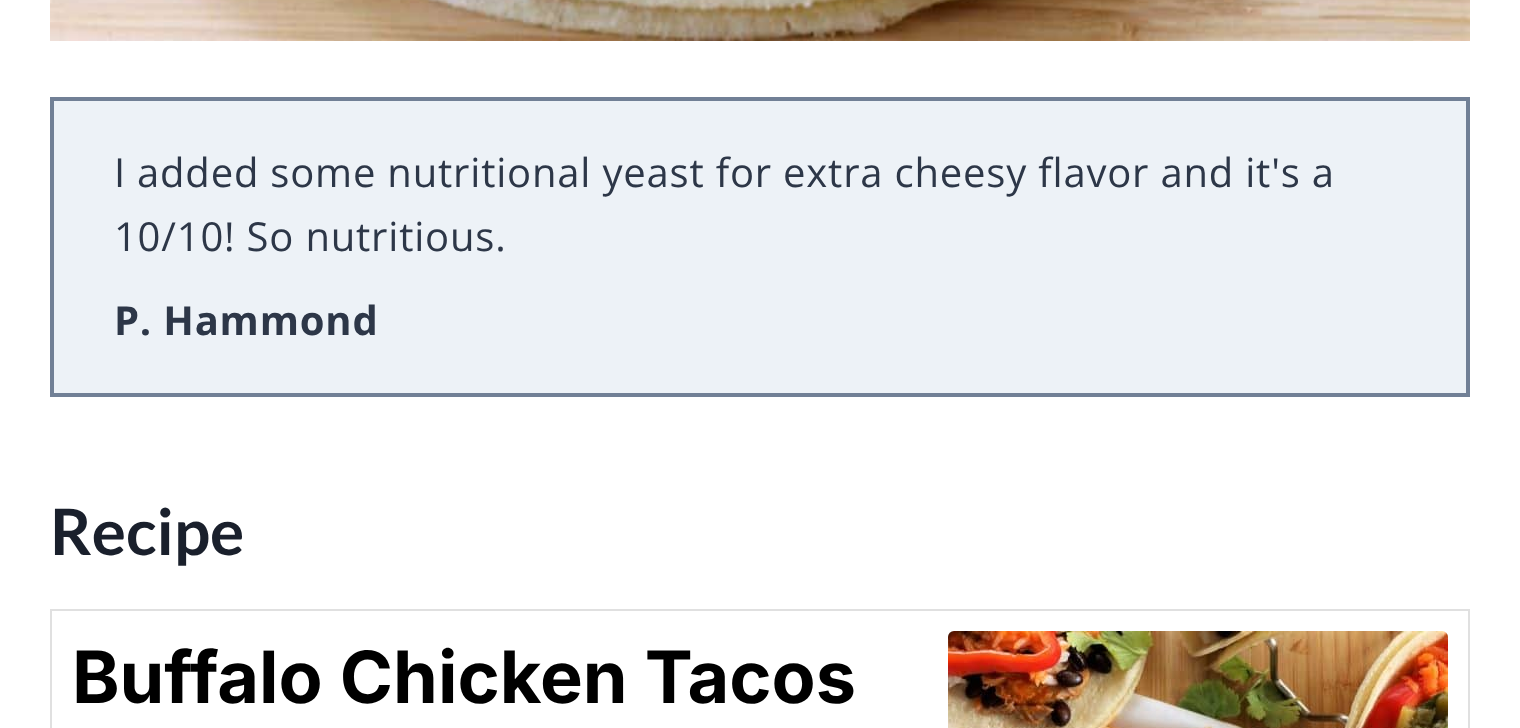
Only approved comments are displayed. Pending, spam and trashed comments are never used, and neither are pingbacks or trackbacks.
If the post doesn't have a comment to feature yet, the block displays nothing. It will start displaying a comment on its own once the post has one.
Comment ID
When you select the block, a "Comment ID" field is available in the block sidebar settings.
Enter the ID of a comment here to feature that specific comment. A Comment ID always overrides the automatic selection, so the comment you choose is displayed even if it would not have been picked automatically.
The comment you choose must be approved. If the Comment ID is for a comment that isn't approved, or the comment has been deleted, the block falls back to the automatic selection below.
Leave the field empty to have the block pick a comment for you.
Find the Comment ID
Every comment has its own ID number. To find it:
- Go to Admin > Comments
- Hover over the comment and click Edit
- Look at the address bar of your browser: the number after
c=is the Comment ID
For example, if the address ends in comment.php?action=editcomment&c=1234 then the Comment ID is 1234.
You can also find it on the live post. The date on each comment is a link that ends in #comment-1234, and the number at the end is the Comment ID.
Automatic selection
If the Comment ID field is empty, the block picks a comment from the post in this order:
- A comment with a 5-star rating
- A comment without a question mark, if there are no 5-star comments
- The most recent comment, if every comment has a question mark
Comments with a question mark are passed over because a question doesn't work well as a review.
A few details on how this works:
- if more than one comment qualifies, the newest one is used
- among 5-star comments, one without a question mark is preferred
- 5-star ratings are the ratings readers leave with their comment in WP Recipe Maker or Tasty Recipes
- comments left by the author of the post are never picked automatically, so your own replies aren't featured
If none of the comments on the post can be used, the block displays nothing.
Stays up to date
The automatic selection is updated whenever a comment on the post is added, edited, approved or removed, or when a comment's rating changes. This means the featured comment can change over time as new comments come in.
If you want the same comment to stay featured, enter its Comment ID.
Alignment
When you select the Feast Featured Comment block, an align option is available on the block controls. This will allow you to align the comment left, center or right.
Where is it used
The Feast Featured Comment block can be added:
- to the content of an individual post
- to a Feast Hook, to display it on every post
In a Feast Hook, leave the Comment ID empty so that each post displays one of its own comments. Posts without comments simply won't display anything.
Pagespeed
The block doesn't load any JavaScript for your readers. The selected comment is saved with the post, so it doesn't need to be looked up again each time the page loads.