
The Modern Categories enables the category pages to be built with the block editor, letting you create high quality, user-friendly category pages, just like the homepage and recipe index.
This allows:
- more topical expertise for be demonstrated for E-E-A-T
- higher quality, user-focused content on the categories
- CTAs (calls to action) to promote ebooks, newsletters and featured content
- better organized "parent" categories by showing sections of individual child categories
With the Feast Plugin, you can now add custom content just like you do with the homepage and recipe index.
See it in action here:
(yes, I misspelled sandwiches)
Jump to:
- Purpose
- Enable
- Auto-Create Modern Categories
- H1
- Custom content
- Regular category output
- Settings
- Layout (Genesis only)
- Full Width vs. Sidebar (Genesis only)
- Full Width AND Sidebar (Genesis only)
- Optimized pagination
- Sort order
- Image size
- Posts per page
- Subcategory listing
- Recipe time + rating
- Search
- Yoast
- Categories vs. Round ups
- Sample travel category conversion
- Breadcrumbs
- Hooks
- Post excerpts
- Translation
- Kadence
Purpose
The content you add to the "Custom content" section of the Modern Category page should be done to:
- help organize large categories into headings
- feature seasonal content near the top (ie. holiday-oriented)
- insert call-to-actions
- improve E-E-A-T
You do not need to add an FSRI block to display a regular listing of posts, that will appear below the custom content automatically.
Enable
The Modern Categories only works on Foodie Pro 5 and our in-house Kadence themes. Support for third-party Kadence themes is not available due to how they're built. You can install one of our Kadence themes or hire us to install one for you.
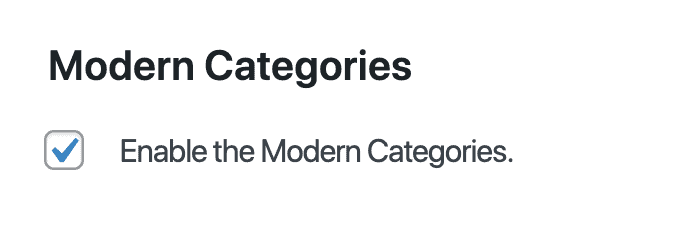
To enable the Modern Categories, just check off the checkbox in the Feast Plugin and hit save.
Auto-Create Modern Categories
(Kadence only) You can automatically create the Modern Categories for all your existing categories with 1-click using the Auto-Create all missing Modern Categories button in Admin > Feast Kadence > Modern Categories:
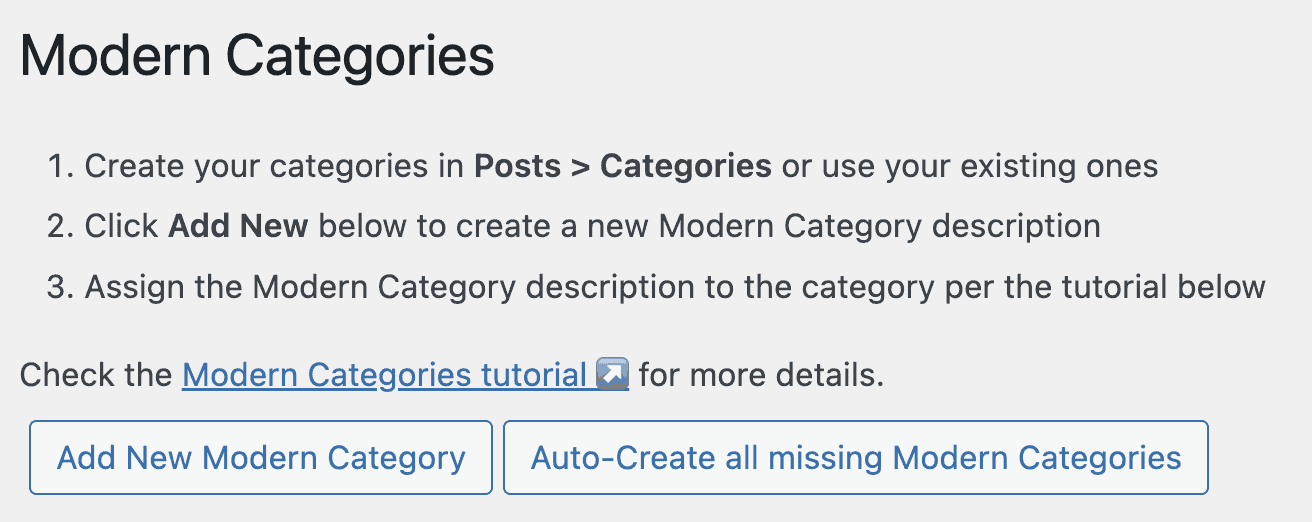
This will:
- create all the categories without an assigned Modern Category
- pull in the existing title and description from the category
- assign the Modern Category to the correct category
This is the simplest way to get started.
H1
The h1 (title) of your category pages is set by the page title of your Custom content (see below).
This should be set for users to understand what the category page covers, as well as be SEO optimized, similar to posts.
Custom content
Note: custom content is only available through the full version of the Feast Plugin, and is unavailable in the Feast Plugin Starter.
In Admin > Feast Plugin > Modern Categories you have the ability to create custom content that will replace your existing category title and description:
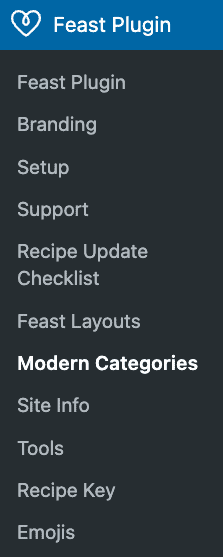
Important note: the Modern Categories displays above the regular category output and does not replace it.
This takes you to a screen where you can see the custom content, and which category it's assigned to:
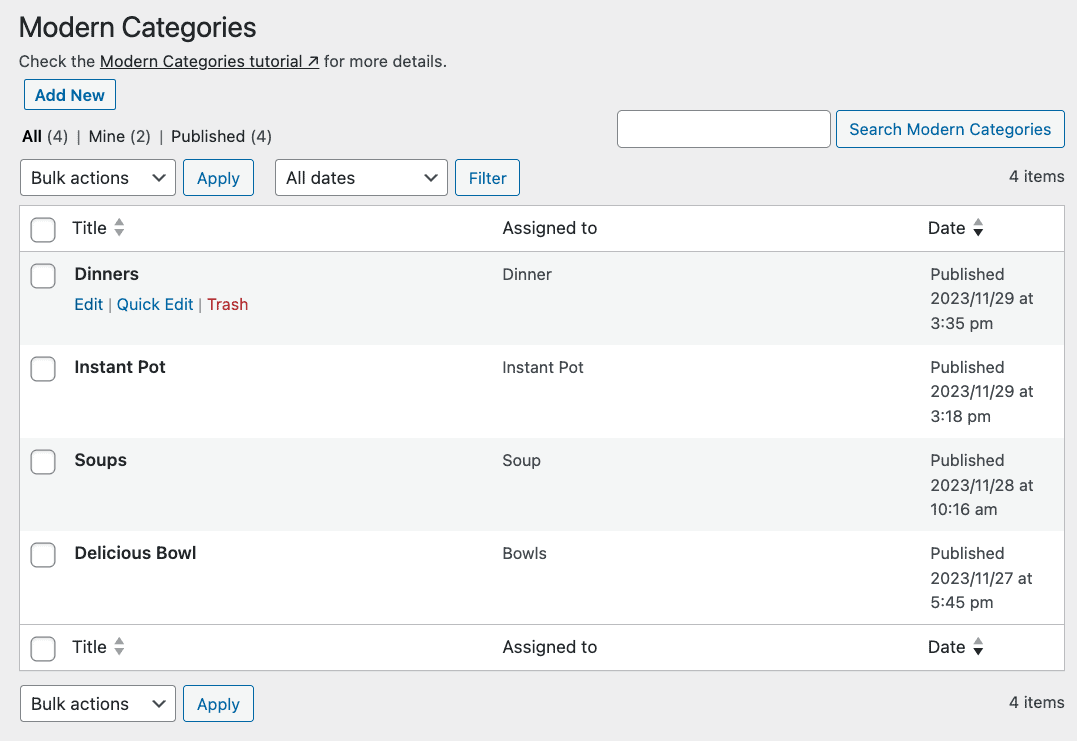
When clicking on "Edit" under the Title, you'll be taken to the block editor to build your own custom category page.
The category that the custom content gets assigned to is found in the right-sidebar of the block editor under "Assign to category":
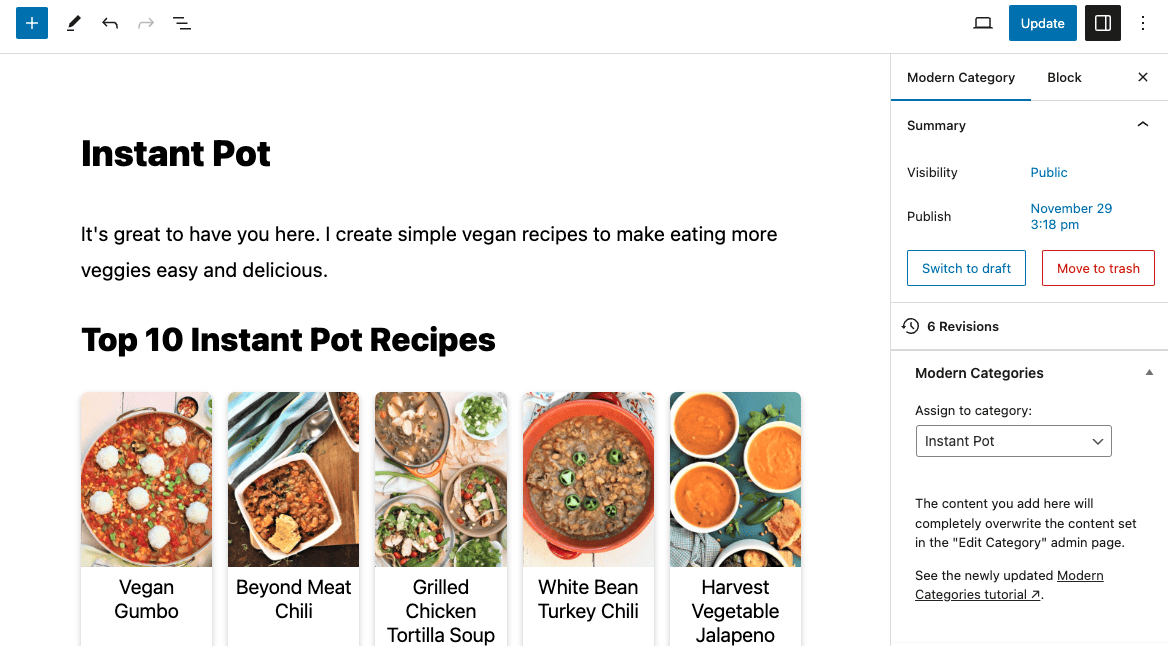
If the "Assign to category" box is missing, you accidentally moved it to the bottom of the screen. Use the up arrow to move it back to the sidebar.
Note: any already-created custom content pages will be excluded from the "Assign to category" drop-down. Only categories which have published posts will display in the drop-down.
On the front-end category page, the custom content section can be accessed via the (admin only) link:

You should not use this to display ALL your posts - only feature specific posts, or visually organize/highlight certain subsections of that category.
IMPORTANT: posts displayed using the FSRI block will be excluded from being displayed in the normal category post listings below it.
Note: this is not compatible with the "search exclude" plugin.
If you're not using the Custom Content, you should use the archive description to create high quality categories. We strongly recommend using the Custom Content.
Regular category output
The regular category listing will be displayed below the custom content, minus any posts already displayed.
If you want to exclude the regular category listing, you should use a page and not a category.
Settings
The settings for your category pages are located in 3 areas:
- Admin > Posts > Categories (individual category pages)
- name (used for Yoast breadcrumbs)
- archive headline (used for category h1)
- archive intro text (used for category content)
- layout settings (sidebar vs. full width)
- Yoast title and meta description (used for Google)
- Admin > Feast Plugin > Categories
- enable the modern categories
- display subcategories
- 3-wide vs. 4-wide default category display (Genesis only)
- display 40 posts per category
- order by last modified default category display
- Customizer > Posts/Pages Layout > Archive Layout (Kadence only)
- Layout settings for category pages
- these are generally safe but we can't offer support for issues related to changing our default setup
- Layout settings for category pages
- Admin > Feast Plugin > Modern Categories
- custom content
- the page title and content here will entirely replace the name and archive description from the actual category pages
- custom content
Layout (Genesis only)
The layout follows the recommended settings in the how to use categories page:
- 4-wide on desktop
- 2-wide on mobile
- only show the image and title
We recommend setting the category pages to display 3-wide (on desktop) so that the images are displayed larger:

This has no impact on SEO or pagespeed.
Full Width vs. Sidebar (Genesis only)
You can enable a full width layout on your categories in the "edit category" page, but it comes with some trade-offs:
Personally, I'm a BIG fan of having the sidebar on a site. It's a strong sitewide signal for internal linking purposes.
But if someone was to remove it JUST from categories, I guess that would be something they could do… at least it wouldn't be "as harmful" as removing the sidebar completely.
I just personally don't see much value in doing this for most sites. It's purely cosmetic for desktop users only.
If you want to enable a full width category page, go to Admin > Categories > Edit (on the category you want to edit) and select the "full width" layout under "Layout Settings":
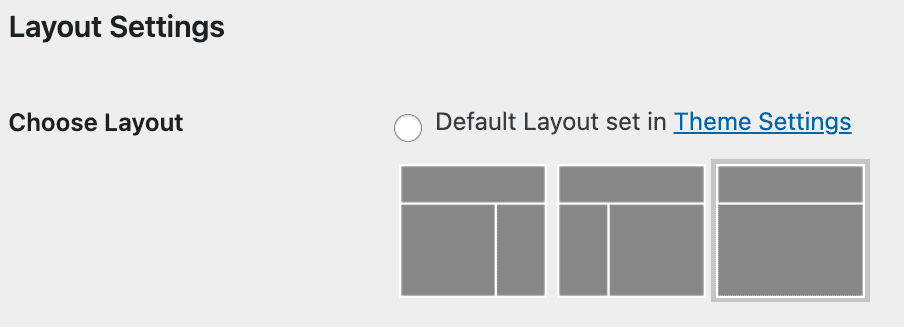
To be clear: we do not recommend removing the sidebar on category pages, because it removes important site-wide internal linking. Instead, use the Custom Content section to craft a high quality category page, and leave the sidebar in place below it.
Full Width AND Sidebar (Genesis only)
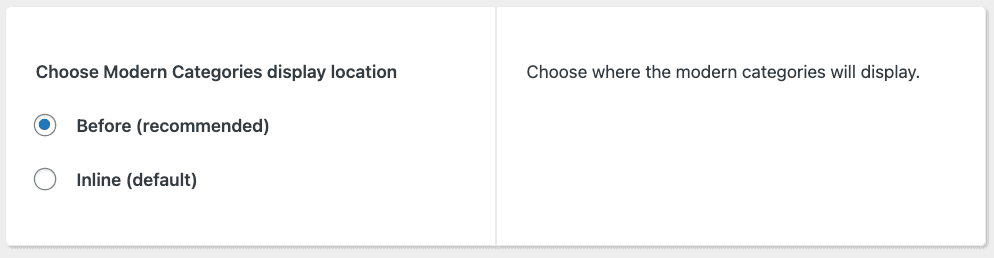
In the Feast Plugins settings, you can choose to display the Modern Categories custom content before the post listing and sidebar in a full-width layout:
Example:
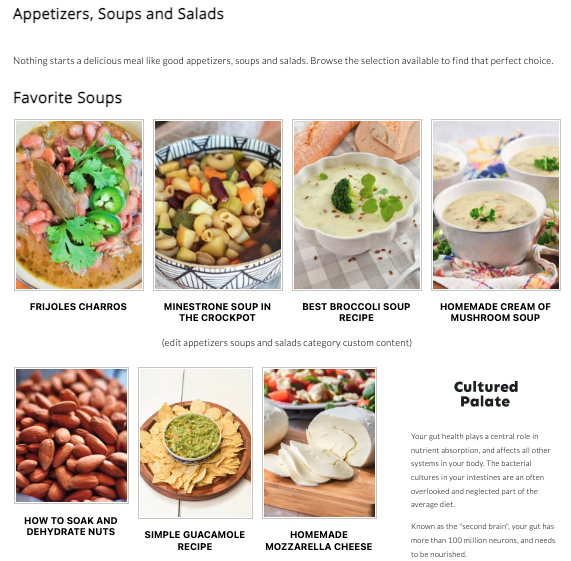
This let's you keep your sidebar on desktop, which is important for site-wide internal linking.
Optimized pagination
The Modern Categories automatically exclude the introductory text when not on the first page of the categories.
Sort order
We recommend ordering the category page by modified date instead of published date, to help surface the best content for your readers.

This also helps Google crawl and index the content you're updating.
Image size
The categories use the default image size setting in the Feast Plugin (same image size as the FSRI block):
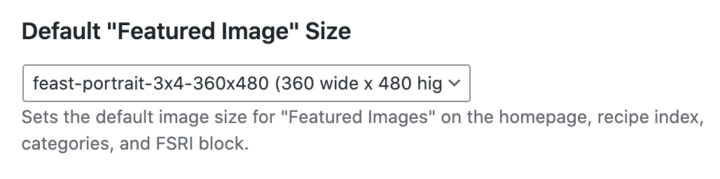
Ensure that the Modern Thumbnails are enabled for this.
Posts per page
While we recommend limiting a category to 40 posts, there are some cases (eg. parent categories, not recommended) where you can have multiple pages of categories. In this case, we recommend setting the Posts per page to 40:

Note: this is set to 42 posts if using the 3-wide layout option:

The reason we've turned this into a checkbox rather than having you manually set it, is that most bloggers don't have the time (or care enough) to test and optimize this. We're comfortable with updating this number (up or down) in the future on your behalf, based on testing and monitoring.
This is simply one less thing on your 83-item to-do list.
Frankly, the only reason you wouldn't display every post in a category (even 1000 posts) is because of DOM node issues relating to pagespeed.
Note: if you do feel like managing this yourself because you have all the free time in the world, you can manually set it yourself in Settings > Reading > Blog pages show at most > #
Subcategory listing
The "Add Subcategory Listing to Categories Page" option automatically shows any child/sub-categories that are assigned to the current categories.
We recommend against using subcategories in favor of a flatter site structure, but for users who have 500+ posts and have historically used subcategories, you can now generate a list of subcategories directly on the parent category.

This is site-wide only and can not be customized. It's really a low-effort catch-all that's a low-quality substitute for creating high quality category pages with custom content.
This will display all subcategories, even empty ones. We recommend deleting empty categories until you have enough content to make them useful (minimum 4, preferably 8 posts) per the how to use categories guide. Category pages need content. Sites with excessive low quality, empty pages can incur a site-wide penalty from Google.
This is low quality but better than no internal linking:

This is high quality internal linking using the FSCI block on category pages:

Recipe time + rating
You can enable the recipe time and recipe rating display on categories in the Admin "edit category" page:

This is enabled on a per-category level and can be useful for categories where the total time is important, such as:
- 30 minutes or less
- instant pot recipes
- game day appetizers
Video:
Remember to fill in your custom content - we still see a lot of people missing category descriptions which is a big SEO issue. Google penalizes websites with high quantities of thin content and we recommend that every page + post + category on your site has unique content.
Search
This format will be applied to the search pages as well, in a future release.
Yoast
We recommend going to Yoast > Search Appearance > Taxonomies > Social Title and removing the word "Archives" being appended to the end of each category.

Categories vs. Round ups
Categories have a benefit of having Collection page schema applied to them (via Yoast), which tells search engines that these pages are groups of content about a specific topic, not just a random page.
Sample travel category conversion
You can convert any simple travel category page into a high quality landing page in just a few steps:
Breadcrumbs
See the breadcrumbs documentation for how (primary) categories get used on posts.
Hooks
For developers, we've added the following hooks:
feast_before_archive
feast_after_archive_intro
feast_after_archive
Thanks Mike Zielonka for the request.
Post excerpts
We don't recommend or support content excerpts on the category pages because:
- it adds DOM nodes to the page, which slows pagespeed and can cause CLS issues
- it doesn't format well on mobile, which makes up 80% of pageviews
- it creates an accessibility burden because the screen reader must read all the except text, while a sighted user can easily navigate past it
- your title + image should convey all the information necessary to help the reader understand what the recipe is about
- it creates a false sense of content on category pages, even though the excerpt is all duplicate content to the post (every page requires UNIQUE content, not duplicate content)
- It introduces unnecessary and complex configuration requirements such as where to cut off text, how much to display, and outdated "read more" tags
Overall, we've made the intentional decision not to support excerpts anywhere in our setup, including the homepage, category page and search pages. We believe this is a mobile-first, user-experience focused approach that greatly simplifies site management and supports a modern aesthetic.
Translation
You'll need to enable translation support for the Modern Categories in your translation plugin.
Kadence
The custom content for category pages is available for Kadence.