
This tutorial features the Feast Plugin, which enhances and extends your theme to improve SEO, pagespeed, accessibility and user experience.
Background: See rethinking the featured images and rethinking thumbnails.
See the updated image optimization guide.
Note: this was originally part of the modern thumbnail sizes, but was split out to avoid confusion.
- All post images should be inserted using "Full Size"
- All in-post images should be uploaded at 1200px width minimum
- With lazyloading and new thumbnail sizes being registered in the plugin, large images will not slow your pagespeed
- We don't recommend uploading mega images due to compression and quality issues, keep your uploads under 2000px wide at maximum
While the theme only displays at 720px (on desktop, with a sidebar) and 80% of pageviews are mobile (360px width), it's possible that wider content widths could become a factor in the future.
Uploading at 1200px and inserting at full size helps to safeguard against this unknown.
If you're using lazyloading, you should always insert images into posts as "Full Size".

If you're not using lazyloading, you should be.
Pagespeed
Uploading large images has no impact on pagespeed when using the in-post thumbnails, Shortpixel and WP Rocket. However, you should follow the image optimization guide for images.
Breaking change
Unregistering the image sizes in the theme is recommend - they're simply not optimized for the modern web.
However, if you've inserted images into your post at specific sizes in the past, these images will be deleted when running the Regenerate Thumbnails plugin with the "delete thumbnail files for old unregistered sizes [...]" option.
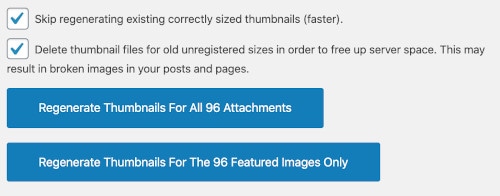
They will continue to display fine on the front-end due to srcset outputting the variations, but will appear broken in the classic editor and block editor.
One option is to use the Better Search Replace plugin to strip out the image size that was appended to the image. This is tricky and a little technical, and most bloggers will need to hire someone to do this.
Note: "thumbnails" vs. in-post images
The word "thumbnails" applies to actual thumbnails (the "featured images" thumbnails on the homepage and category pages) as well in-post images.
Saying "thumbnails" for in-post images isn't technically correct, but there's nothing we can do about this.
Image sizes registered for in-post images aren't really thumbnails, but are registered the same way in WordPress. It's what is used to generate smaller versions of the main image, which is used in the srcset, so that browsers can download the correct image size based on screen width.
Because of this, the word "thumbnails" applies to in-post images as well.